The Ultimate Guide to the Perfect AI Headshot in 2025
Getting the perfect headshot used to mean booking a photographer, finding the right lighting, and hoping you didn't blink at the wrong moment.
Now? It's about finding the right AI tool and knowing how to use it properly.
But here's the thing: not all AI headshot generators are created equal. Most can keep your face consistent across different photos, but very few can deliver the kind of photorealistic quality that actually looks professional. Until now.
Main Takeaway
AI headshot technology just had a major breakthrough in 2025. We're not talking about slightly better backgrounds or cleaner edges — we're talking about true photorealistic quality that rivals professional photography. Whether you need a professional LinkedIn headshot, lawyer headshots, actor headshots, or even just a polished WhatsApp profile photo, understanding what's actually possible now can save you time, money, and a lot of frustration.
The Quality Revolution: What's Actually New in 2025
Let's be honest: AI headshot generators have been around for a while. Tools like BetterPic, HeadshotPro, and Aragon AI can all keep your face looking consistent across different backgrounds and outfits. That's not news anymore.
What didn't work? The quality. You'd get photos that looked... fine. Maybe even good. But they never looked like real photography.
At MyPicNow, we recently developed a workflow that lets Premium and Ultra users generate images with a level of realism I honestly haven't seen anywhere else. These aren't just "good for AI" photos — they're photos indistinguishable from traditional photography.
Click on any image to view in full quality
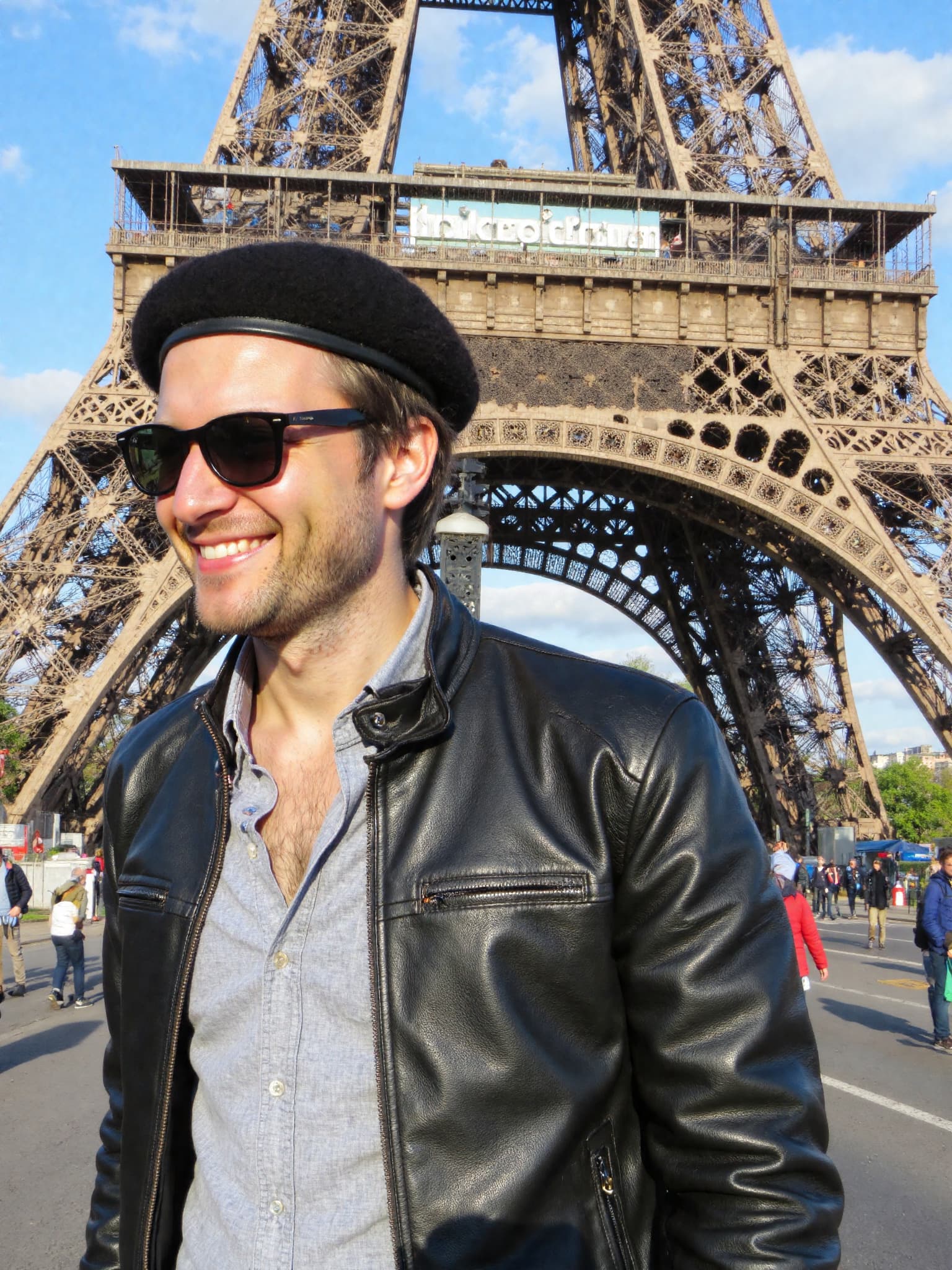
LinkedIn Professional - Natural lighting with <a href='/corporate-headshots'>corporate background</a>
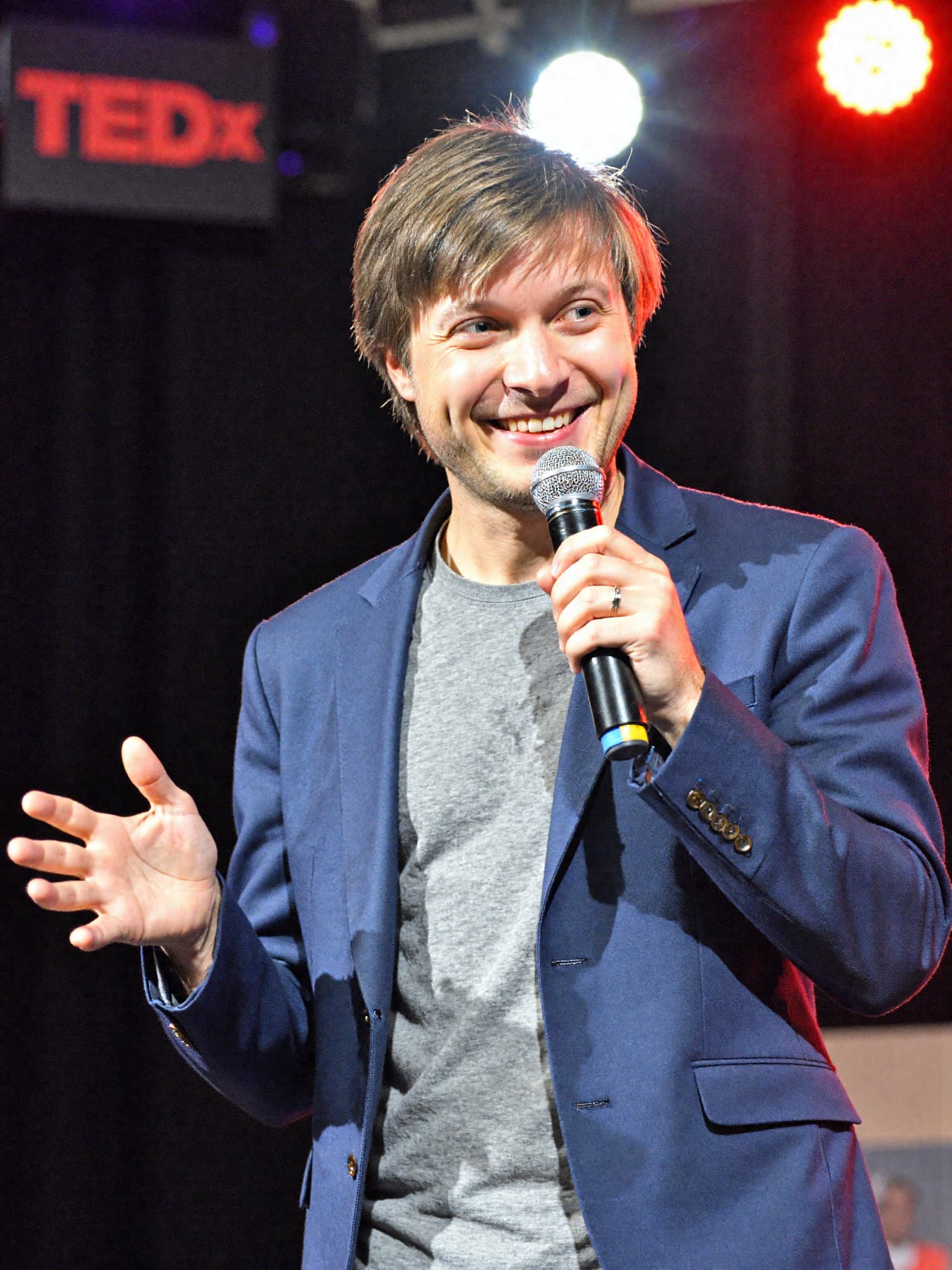
<a href='/executive-headshots'>Executive Style</a> - Studio lighting with neutral backdrop
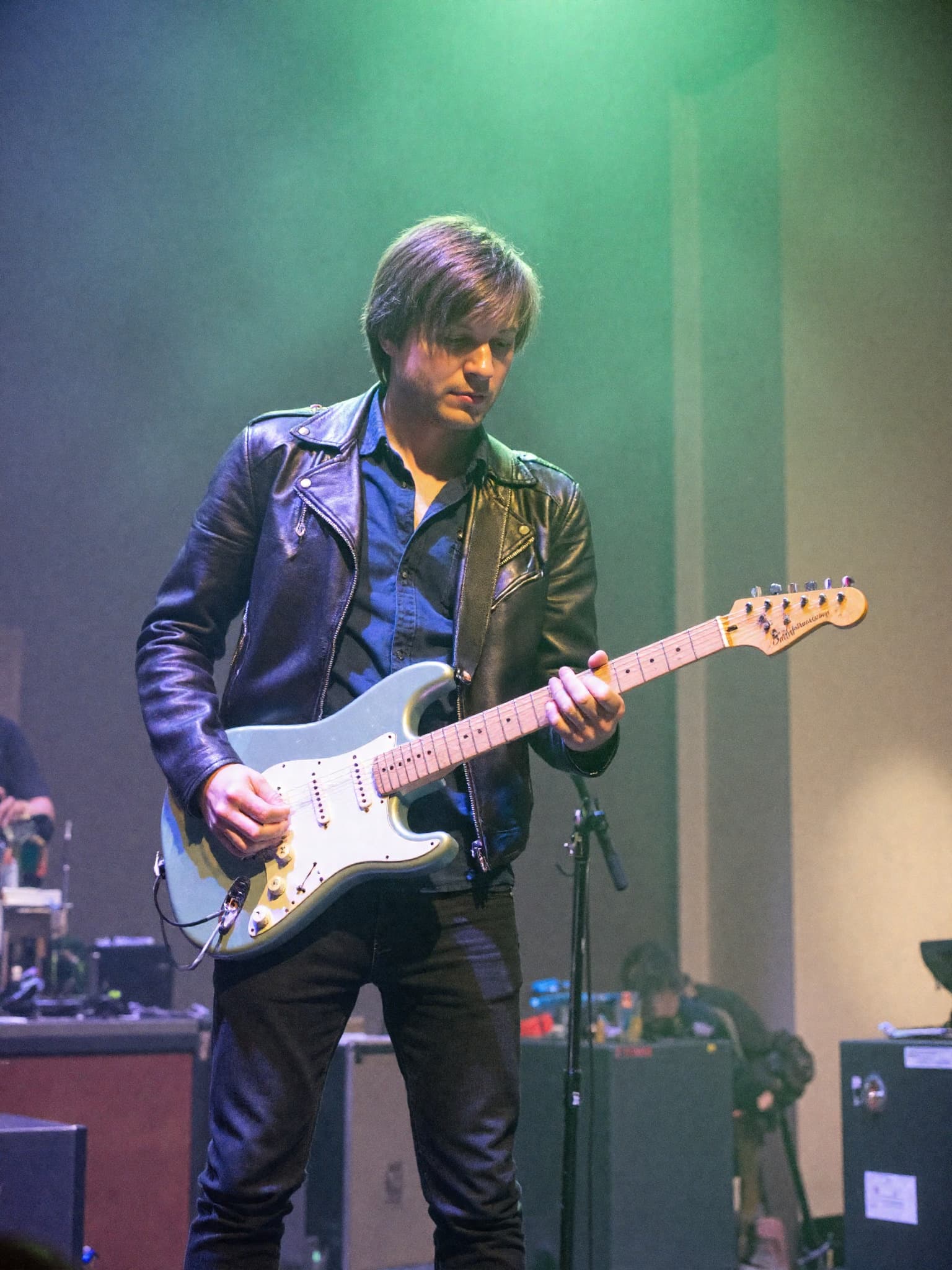
Creative Professional - Artistic lighting for creative industries
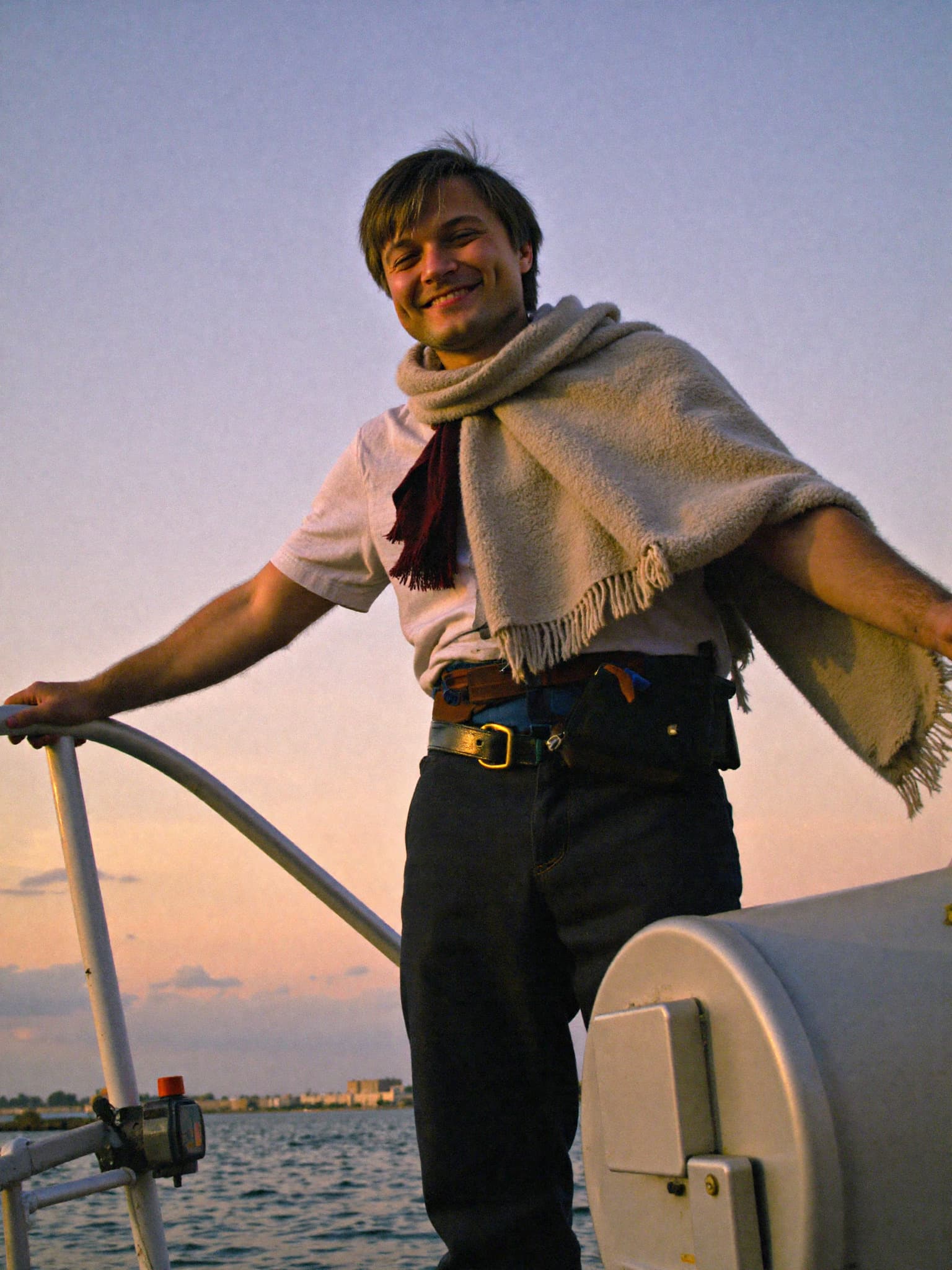
Casual Professional - Natural outdoor lighting for approachable look
4 images • Click to enlarge
The breakthrough came from completely rethinking how we approach the training and generation process. Instead of optimizing for speed or cost, we focused on fixing the core quality issues that make AI photos look... well, like AI photos.
Why Quality Has Been So Hard to Crack
You might wonder: if AI can already keep faces consistent, why has quality been such a problem?
The answer is computational cost. Creating truly photorealistic images requires serious GPU power — the kind most services can't afford to offer at scale. Most competitors use simplified models to keep costs down and revenue high. The result? Images that look "okay" but lack professional polish.
We made a different choice. For our Premium and Ultra users, we rent high-end GPU instances specifically to deliver this quality. It's expensive, but the results speak for themselves.
The Technology Behind the Breakthrough: LoRA Models Explained
To understand why our Premium and Ultra quality is so different, you need to know about LoRA models. LoRA stands for Low-Rank Adaptation, and it's a technique that lets us fine-tune AI models efficiently without retraining everything from scratch.
For our photorealistic workflow, we use specialized LoRA models from CivitAI, particularly the Amateur Photography [Flux Dev] LoRA. This specific model was trained on hundreds of real amateur photos with natural lighting, authentic expressions, and realistic skin textures.
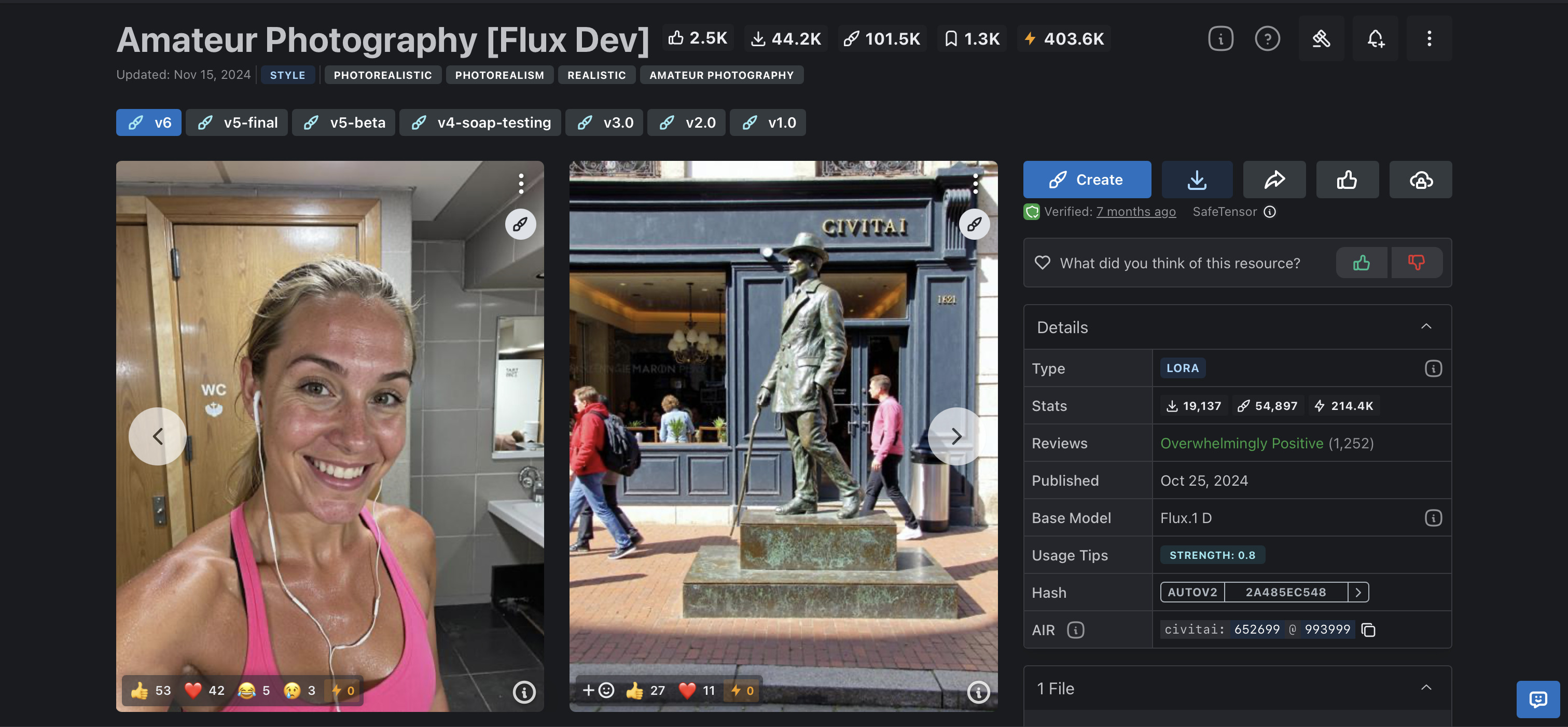
What makes this LoRA special is its training approach. The creator used GPT-4o to caption 210+ real amateur photographs, focusing on natural, unposed moments. The model learned to recognize authentic lighting patterns, genuine facial expressions, and real-world photography aesthetics that you just don't get with standard AI models.
When we combine this with our custom-trained LoRA models based on your images, the results are that they look like they were taken by a professional photographer, not generated by AI.
How MyPicNow Compares to Other Major AI Generators
Let's talk about the competition. You've probably tried ChatGPT's image generation, or Midjourney for creating photos of yourself. Here's why they fall short for consistent headshots:
ChatGPT: The Consistency Problem
ChatGPT's latest image generation model is impressive for creative projects, but it has a fundamental limitation: it barely maintains consistent faces across multiple images.
Why? Because ChatGPT doesn't train models on your specific face. Each time you ask for a photo, it's essentially guessing what you look like based on your description.
Midjourney: Beautiful But Inconsistent
Midjourney creates stunning artistic images, but again, no face consistency. It's designed for creative expression, not professional headshots. You might get one gorgeous image, but you'll never get a matching set.
Traditional Photoshoot Apps: Limited and Expensive
Apps like BetterPic and HeadshotPro solve the consistency problem by training on your photos, but they're limited by their technology. They use older generation models such as Stable Diffusion that produce that "AI look" — slightly too perfect, with artificial lighting and expressions that feel robotic.
| Service | Face Consistency | Photorealistic Quality | Generation Speed |
|---|---|---|---|
| MyPicNow Premium/Ultra | ✅ Perfect | 🌟 Breakthrough | 8 seconds |
| BetterPic | ✅ Good | ⚡ Standard | 45-60 minutes |
| HeadshotPro | ✅ Good | ⚡ Standard | 2 hours |
| Aragon AI | ✅ Good | ⚡ Standard | 2 hours |
Your MyPicNow Plan Options (What Actually Matters)
| Plan | Price | AI Photos | Key Features | Best For |
|---|---|---|---|---|
| Starter | $19/month | 50 credits | 1 AI model, Flux 1.1 photorealistic model, 8× free profile pics | Personal use, testing the service |
| Pro | $49/month | 500 credits | 3 AI models, commercial use license, write your own prompts | Business use, higher volume needs |
| Premium | $149/month | 1,500 credits | 🌟 High quality photos, high resemblance accuracy, fast processing, AI videos, magic photo editor | Professional headshots, actor/model work |
| Ultra | $199/month | 2,500 credits | 🌟 Everything in Premium + fastest processing, unlimited storage, 4K resolution, priority support | Professional photographers, agencies, high-volume use |
The key difference? Premium and Ultra users get access to our breakthrough quality workflow. It's not just more photos — it's genuinely better photos.
Complete Use Case Guide: Every Way You Can Use AI Headshots
1. Professional LinkedIn Headshots
Your LinkedIn photo is your digital business card. It's the first thing recruiters, clients, and potential connections see. With MyPicNow's LinkedIn headshot generator, you get:
- Clean, professional backgrounds that don't distract from your face
- Industry-appropriate styling that matches your field
- Perfect LinkedIn sizing (400x400 pixels) automatically
- Consistent branding across all your professional platforms
The best part? You can generate multiple variations for different contexts. Need a more formal look for finance? A creative edge for tech? You can create both from the same trained model.
Pro tip for LinkedIn: Background pics for LinkedIn matter more than you think. A clean, neutral background keeps focus on your face, while busy patterns distract potential connections.
2. Actor Headshots That Get You Noticed
The entertainment industry is brutal about spotting fake-looking photos. Casting directors see thousands of headshots, and they can spot AI-generated images from a mile away — unless they're done right.
Our actor headshot generator delivers:
- Natural expressions that showcase your emotional range
- Professional lighting that casting directors expect to see
- Multiple looks for commercial vs. dramatic roles
- Industry-standard formats ready for submission
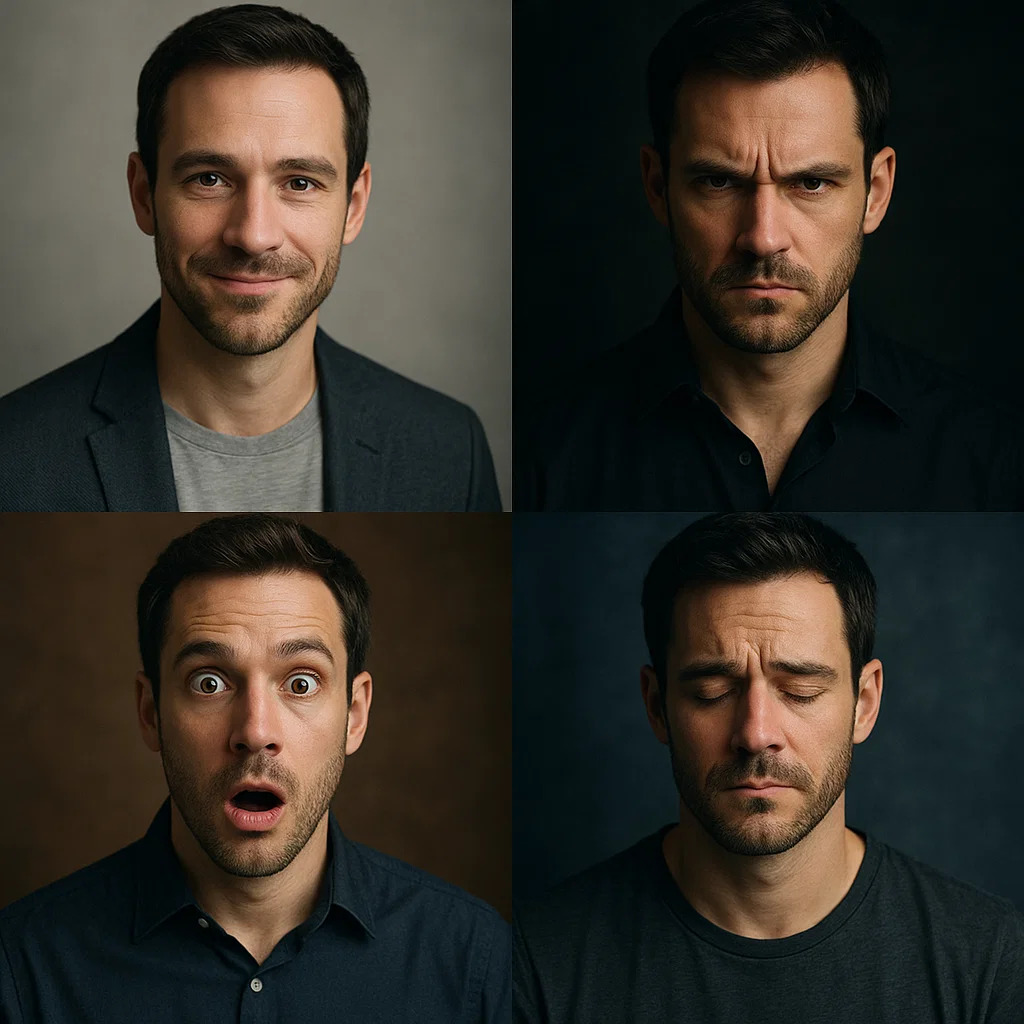
With Premium and Ultra plans, the quality is indistinguishable from expensive studio shoots. We're talking about headshots that cost $500+ from professional photographers, but generated in seconds.
3. Dating App Photos That Actually Work
Let's be real — your Tinder photos matter. A lot. Bad photos on dating apps mean fewer matches, and fewer matches mean fewer dates.
But dating app photos have their own rules:
- Natural lighting that makes you look approachable
- Authentic expressions that show your personality
- Clean backgrounds that don't distract
- Multiple angles to show different aspects of yourself
The key is looking attractive without looking overly edited. Our AI nails this balance by using that Amateur Photography LoRA I mentioned earlier — it creates photos that look like a friend with a good camera took them, not like you hired a professional photographer.
5. WhatsApp Profile Photos That Look Professional
Even casual profile photos benefit from looking sharp. Your WhatsApp profile photo shows up in business conversations, family chats, and everything in between.
What works for WhatsApp:
- Natural, approachable expressions that work in personal contexts
- Clean backgrounds that are readable at small sizes
- Good lighting that makes you look friendly and trustworthy
- Consistent with your professional image but more relaxed
6. Enhanced Selfies for Everything Else
Sometimes you just need to upgrade your existing photos. Our AI selfie generator can take your phone selfies and turn them into something more professional:
- Better lighting that flatters your features
- Professional backgrounds to replace messy rooms
- Enhanced image quality without losing the natural feel
- Multiple style options from casual to formal
The Science Behind Photorealistic Quality
What makes our Premium and Ultra workflow so different isn't just one thing — it's a combination of advanced techniques:
Advanced LoRA Training
Beyond the Amateur Photography LoRA, we use several specialized models:
- UltraRealistic LoRA Project for livelier emotions and dynamic poses
- Real Flux Beauty for fashion and beauty contexts
- Boring Reality Flux-Dev LoRA for improved realism
Each LoRA is trained on hundreds of carefully curated photos with specific aesthetic goals. When combined with your personal face model, they create images that hit the exact sweet spot between natural and professional.
Multi-Stage Processing
Our Premium and Ultra workflow doesn't just generate one image and call it done. Instead, it uses a multi-stage process:
- Initial generation using your trained face model
- Quality enhancement using specialized LoRA models
- Lighting refinement to ensure natural-looking illumination
- Detail enhancement for skin texture and facial features
- Final optimization for your specific use case
This is computationally expensive — which is why we can only offer it to Premium and Ultra users — but the results are worth it.
Step-by-Step: Creating Your Perfect AI Headshot
For All Users (Starter Through Ultra):
Step 1: Sign up and choose your plan
Visit MyPicNow.com and select the plan that matches your needs. If you're unsure, start with Starter to test the service.
Step 2: Gather your selfie images
This is crucial. You need 15-20 high-quality photos that show:
- Different facial expressions (neutral, slight smile, genuine laugh)
- Various angles (straight on, 3/4 left, 3/4 right)
- Clear facial features (no sunglasses, hats, or heavy shadows)
Step 3: Upload and train your model
Upload your photos and start the training process. This typically takes 5-10 minutes, during which the AI learns your unique facial features.
Step 4: Generate your first batch
Start with our professional templates to get a feel for the quality. Try different backgrounds and styles to see what works best for your needs.
Step 5: Refine with custom prompts
Once you understand how the system works, experiment with custom prompts to get exactly the look you want.
For Premium and Ultra Users (Additional Steps):
Step 6: Access photorealistic generation
Switch to our advanced workflow for breakthrough quality. You'll immediately notice the difference in skin texture, lighting, and overall realism.
Step 7: Experiment with professional contexts
Try generating headshots for different professional scenarios — LinkedIn, actor submissions, corporate websites, etc.
Step 8: Use advanced editing tools
Premium and Ultra users get access to our magic photo editor for fine-tuning results.
Step 9: Export high-resolution files
Download 4K resolution images suitable for print and large-format use.
Advanced Tips for Maximum Quality
Optimizing Your Selfie Images
The quality of your input photos makes a huge difference to train your personalized AI model. Here's what you need to know:
Lighting techniques:
- Golden hour magic: Take photos 1 hour before sunset for warm, flattering light
- Window lighting: Face a large window during daytime for even, soft illumination
Camera positioning:
- Eye level: Camera should be at your eye level, not looking up or down
- Distance matters: Too close creates distortion; too far loses detail
Expression coaching:
- Practice your smile: Look in a mirror and find your most natural expression
- Eye contact: Look directly at the camera lens, not the screen
Advanced Prompting Techniques
For Pro, Premium, and Ultra users who can write custom prompts, here are advanced techniques:
Style references: "Professional headshot in the style of Annie Leibovitz photography, shallow depth of field, dramatic but flattering lighting"
Technical specifications: "Shot with 85mm lens equivalent, f/2.8 aperture, professional studio lighting setup, clean gradient background"
Mood and emotion: "Confident executive energy, approachable but authoritative, slight asymmetrical smile suggesting competence and warmth"
Background details: "Modern corporate office environment, floor-to-ceiling windows with city view softly blurred, natural daylight mixed with professional LED lighting"
Troubleshooting Common Issues
"The skin texture looks artificial"
Cause: Over-smoothing by the AI model
Solution: For Premium/Ultra users, our photorealistic workflow solves this. For other plans, try prompts like "natural skin texture, minimal retouching, realistic pores and details"
"Backgrounds look fake or blurry"
Cause: AI struggling with background generation
Solution: Use specific background prompts like "professional office background with realistic depth of field" or "clean studio backdrop with subtle gradient"
"The lighting doesn't look natural"
Cause: AI using generic lighting models
Solution: Specify lighting in your prompts: "natural window lighting," "soft studio lighting," or "golden hour outdoor portrait lighting"
"I'm getting inconsistent results"
Cause: Varying prompts or insufficient model training
Solution: Use consistent prompt structure and ensure your AI model is trained on high-quality, similar photos
The Future of AI Headshots
The breakthrough we've achieved with Premium and Ultra quality is just the beginning. Here's what's coming next:
Real-Time Video Headshots
We're developing technology that can create professional video introductions using your trained AI model. Imagine having a polished video bio that you can customize for different contexts — all without ever stepping in front of a camera.
Advanced Background Generation
Instead of choosing from preset backgrounds, you'll be able to describe any professional environment: "corner office with city view," "cozy coffee shop," "modern co-working space," and our AI will create photorealistic backgrounds that perfectly match your lighting and style.
4K and Print Quality
While our current Premium and Ultra plans already offer high resolution, we're developing 8K output for large-format printing, billboards, and other professional applications.
Comparing Costs: AI vs Traditional Photography
Let's talk money. Professional headshots used to be a significant investment:
| Service Type | Initial Cost | Time Investment | Revision Cost |
|---|---|---|---|
| Professional Photographer | $300-800 | 4-6 hours total | $100-200 |
| MyPicNow Starter | $19/month | 30 minutes | Unlimited |
| MyPicNow Premium | $149/month | 30 minutes | Unlimited |
| BetterPic | $35 per session | 1-2 hours | $35 per session |
The value proposition: Even our Premium plan costs less than a single professional photoshoot while delivering comparable quality and unlimited revisions. If you need headshots regularly (actors, models, professionals who update their images frequently), the savings are massive.
Common Mistakes That Kill Your Results
After analyzing thousands of user uploads, here are the mistakes that consistently produce poor results:
| Mistake | Why It Hurts | How to Fix | Professional Tip |
|---|---|---|---|
| Using heavily filtered selfies | AI learns fake skin textures and unrealistic features | Upload natural, unfiltered photos only | Turn off all beauty filters and AI enhancement on your phone |
| Only uploading one angle/expression | AI gets limited understanding of your face structure | Include front-facing, 3/4 left, and 3/4 right angles | Take 5-7 photos at each angle with different expressions |
| Inconsistent lighting across photos | AI can't learn proper lighting for your features | Take all photos in the same lighting conditions | Use natural window light for entire photo session |
| Including group photos or pets | AI gets confused about which face to learn | Solo photos only, no exceptions | Crop existing group photos to show only your face |
| Low-resolution or blurry images | AI can't capture fine facial details | Use your phone's highest quality setting | Take photos in good light to avoid high ISO blur |
| Wearing sunglasses or hats | AI can't see key facial features like eyes | Remove all accessories that obscure your face | If you always wear glasses, include them in all photos |
Security and Privacy: Your Photos Are Safe
One question we get a lot: "Is it safe to upload my photos to an AI service?"
Here's how we protect your data:
- GDPR Compliance: We follow strict European data protection regulations, giving you full control over your photos.
- Encrypted Storage: All uploaded photos are encrypted both in transit and at rest.
- Deletion Rights: You can delete your photos and trained models at any time.
- Limited Access: Only authorized team members can access user data, and only for support purposes.
- No Public Gallery: Your photos never appear in public galleries or example collections.
Wrap-Up: The New Era of Professional Photography
AI headshot technology just crossed a major threshold in 2025. The photorealistic quality now available through our Premium and Ultra plans represents a genuine breakthrough — something we honestly haven't seen from any competitor.
Whether you need a sharp LinkedIn headshot for career advancement, professional actor headshots for casting calls, better dating app photos that actually get matches, or just want to upgrade your WhatsApp profile photo, the tools are finally here to deliver professional results without professional prices.
The old model of expensive photoshoots, scheduling hassles, and hoping for good results is dead. The new model is simple: upload your photos, train your AI model, and generate professional headshots in seconds.
The question isn't whether AI can create good headshots anymore. It's whether you want good headshots or truly great ones.
🚀 Choose Your Plan and Get Started
FAQ
Q: What makes Premium and Ultra quality actually different from competitors?
We use high-end GPU instances and advanced LoRA models like the Amateur Photography [Flux Dev] from CivitAI, combined with multi-stage processing workflows. The computational costs are significantly higher, but you can see the quality difference immediately — especially compared to tools like BetterPic, HeadshotPro, or Aragon AI.
Q: Can I upgrade later if I need better quality?
Absolutely! Your trained AI model carries over when you upgrade. Many users start with Starter to test the service, then upgrade to Premium or Ultra when they see the quality difference and need that photorealistic output.
Q: How do you compare to ChatGPT for headshots?
ChatGPT and can't maintain consistent faces across multiple images because they don't train models on your specific face. They're great for creative projects, but useless for professional headshots where consistency is crucial. Plus our generation speed (8 seconds vs 30-60 seconds) is much faster.
Q: What selfie images should I upload for best results?
15-20 clear, well-lit photos with no filters, sunglasses, or hats. Natural window lighting works best. Include different expressions (neutral, slight smile, genuine laugh) and angles (straight on, 3/4 left, 3/4 right). Think of it as giving the AI a complete understanding of your face.
Q: Are your actor and model headshots really industry-standard quality?
With Premium and Ultra plans, absolutely. The photorealistic quality meets professional industry standards for casting submissions and portfolio use. We use the same LoRA models that create amateur photography aesthetics, which paradoxically look more professional than overly-polished AI images.
Q: Can I use MyPicNow for team or corporate headshots?
Definitely! All plans support multiple users, and our professional templates ensure consistent styling across team members. For high-volume corporate use, our Ultra plan provides the best value and includes priority support for enterprise needs.
Q: How long do the AI models last, and can I retrain them?
Your trained AI models remain active as long as your subscription is current. You can retrain or create new models anytime — Pro users get 3 models, Premium gets 8, and Ultra gets 12. This lets you experiment with different photo sets or update your model as your appearance changes.
Q: What's the difference between your LoRA models and what other services use?
We use specialized LoRA models from CivitAI like Amateur Photography [Flux Dev], which are trained specifically for photorealistic results. Most competitors use generic models that prioritize speed over quality. Our Premium and Ultra workflows combine multiple LoRA models for breakthrough realism.
Q: Can I use the photos commercially, and do I own the rights?
Pro, Premium, and Ultra plans include commercial use licenses. You own the rights to photos generated from your trained model. Starter plan is for personal use only. This is important for professional contexts like business websites, marketing materials, and actor/model portfolios.
Q: How do you handle privacy and data security?
We're GDPR compliant with encrypted storage, no data sharing, and full deletion rights. Your photos are never used to train general models or appear in public galleries. Only authorized team members can access user data for support purposes, and you can delete everything at any time.