ChatGPT vs MyPicNow: Why Consistency Matters for AI Headshots
Ever tried ChatGPT's image generator to create a Professional LinkedIn Headshot? Or asked Midjourney to whip up some photos for your dating profile?
If you have, you probably know the feeling. You type in your prompt, wait with excitement, and then... it spits out a photo of someone who kinda looks like your distant cousin. Maybe. If you squint.
The thing is, tools like ChatGPT, Midjourney, and other popular photoshoot apps are incredible for creative projects. But when it comes to creating consistent, realistic photos of you — the kind you'd actually use as a Professional LinkedIn Headshot or WhatsApp Profile Photo — they fall flat.
Here's why that happens, and more importantly, how we solved it at MyPicNow.
Main Takeaway
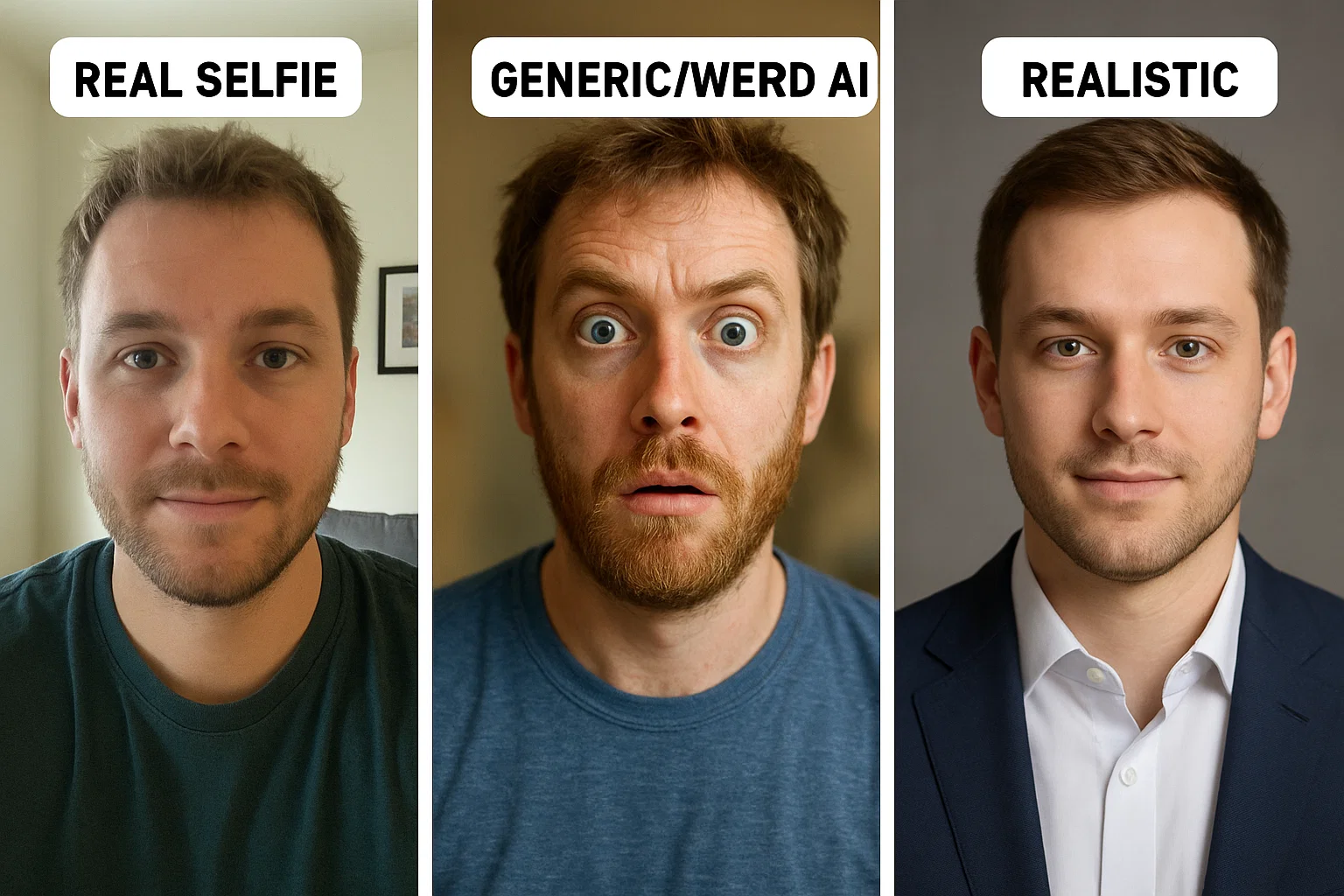
Most AI photo generators fail at creating usable Professional LinkedIn Headshots because they don't actually know what you look like. They're guessing based on text descriptions. But when you train an AI model specifically on your photos — like we do at MyPicNow — you get consistent, realistic results that actually look like you.
The Problem Everyone's Facing (But Nobody Talks About)
Let's be honest about what happens when you try to create professional photos with popular AI tools:
ChatGPT: You describe yourself, and it creates someone who might be your long-lost sibling. Every generation looks like a different person. Good luck using that as a consistent LinkedIn Profile Photo Generator.
Midjourney: Beautiful artistic images, sure. But ask it to create five headshots of the same person and you'll get five different people. Not exactly what you need for Background Pics for LinkedIn or a professional portfolio.
Generic AI apps: They slap your face onto stock photo bodies with weird lighting and plastic skin. Great for laughs, terrible for your reputation.
The core issue? These tools use generic models that have never seen your face before. They're essentially playing a guessing game every time you ask for a photo.
Why Consistency Matters More Than You Think
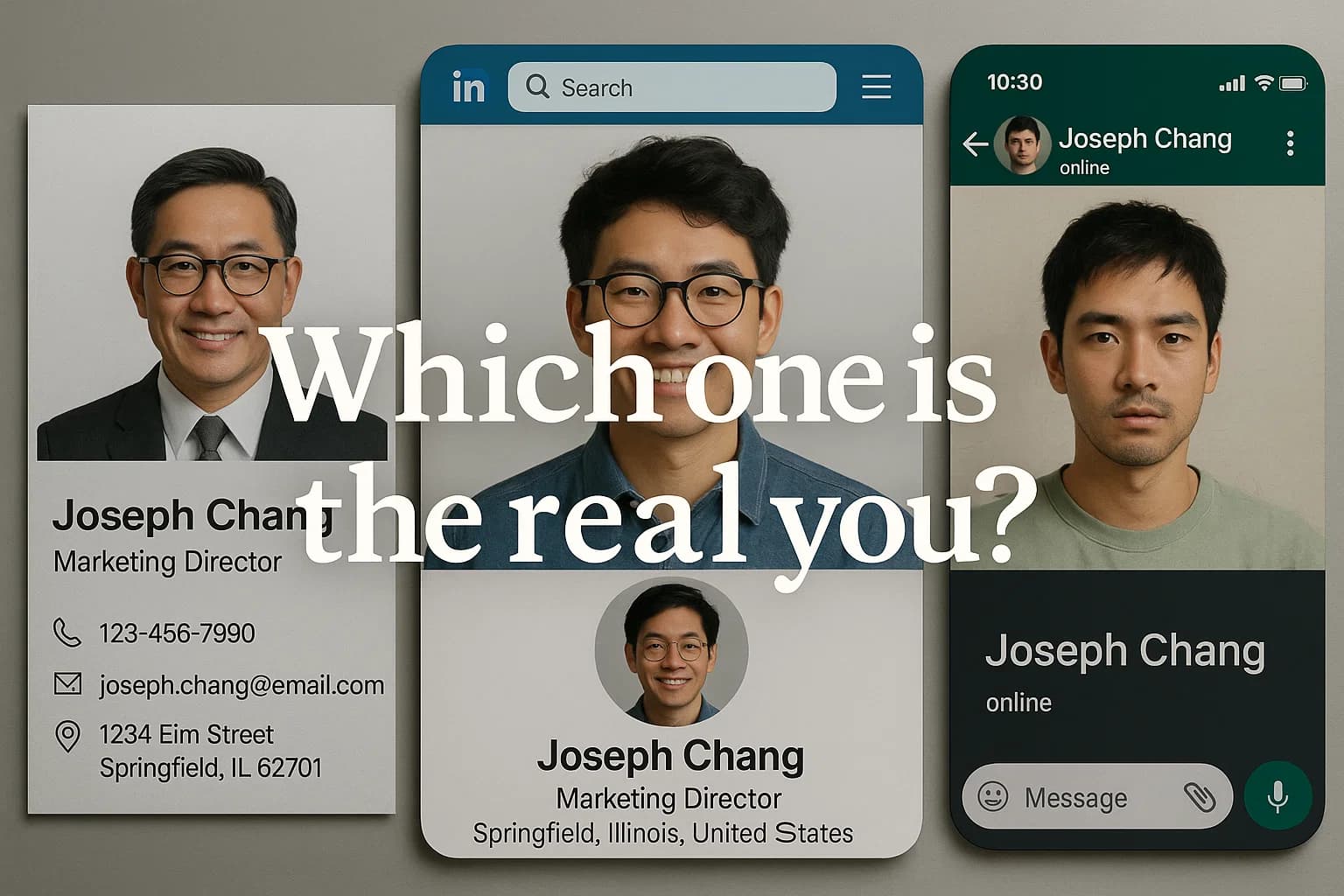
Think about it: your Professional LinkedIn Headshot needs to look like your WhatsApp Profile Photo, which should match your company website photo. If they all look like different people, what message does that send?
For job hunting: Recruiters see your LinkedIn photo, then meet you in person. If there's a disconnect, trust breaks down immediately.
For personal branding: Whether you need model headshots for your portfolio, influencer headshots for social media, or actor photos for casting calls, consistency builds trust and professionalism.
But here's what really drives people crazy: you might generate 50 photos and only 2-3 actually look like you. That's a lot of wasted time and credits for tools that charge per generation.
The Technical Reason Why This Happens (In Plain English)
Without getting too nerdy, here's what's happening under the hood:
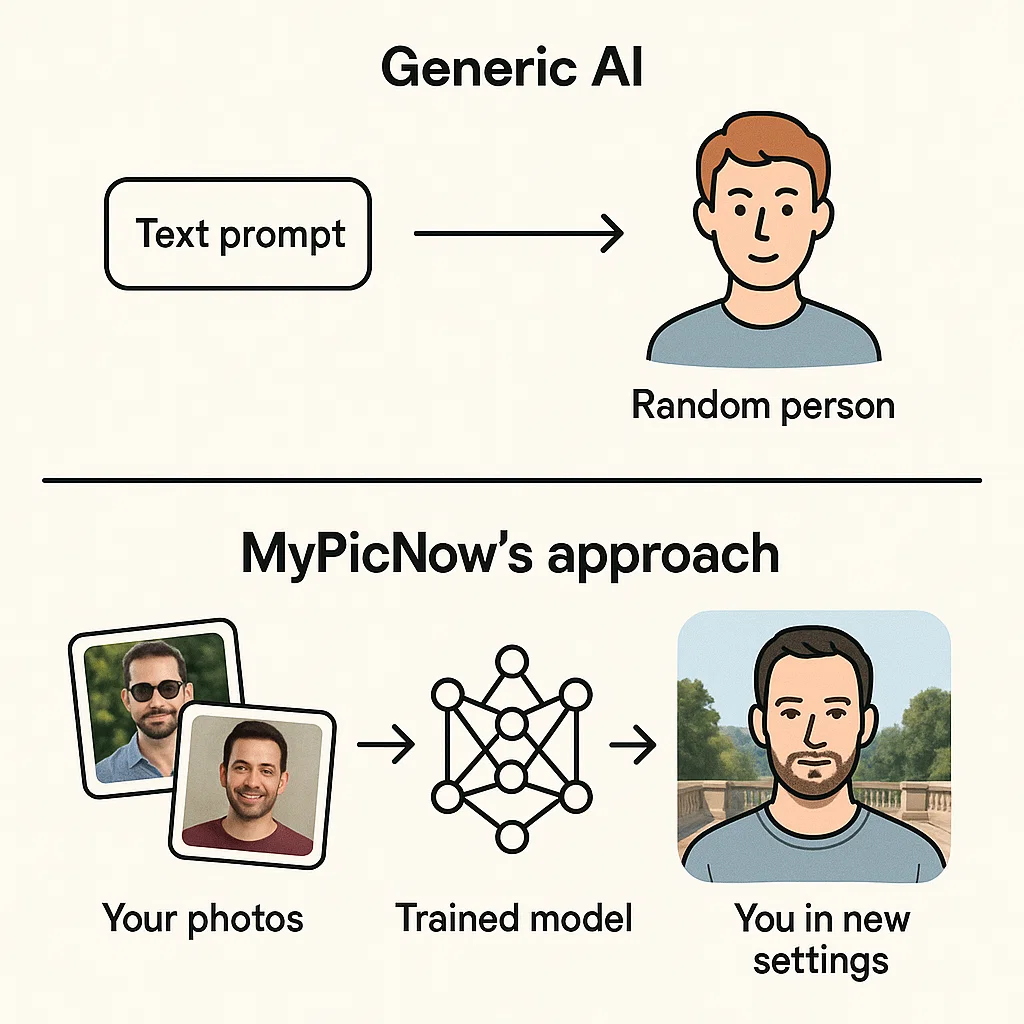
Generic AI models (like ChatGPT, Midjourney) work like this:
- You describe what you want: "Professional headshot of a 30-year-old person with blonde hair" and attach a picture of yours.
- The AI thinks: "Okay, I'll create someone who fits that description"
- Each time you ask, it creates a new interpretation of your description
- Result: Different people every time
Specialized tools (like MyPicNow) work differently:
- You upload 10-15 photos of yourself
- Our AI studies your specific facial features, expressions, and angles
- A model learns what you actually look like
- When you generate new photos, it creates variations of you — not random people
It's the difference between asking a stranger to draw you based on a description, versus giving an artist multiple reference photos to study first.
How ChatGPT and Midjourney Handle Photos (Spoiler: Not Great)
Let's talk about the big names everyone knows:
ChatGPT's Image Generator (DALL-E)
The good: Creates impressive artistic images fast
The problem: Zero consistency between generations. Ask for five headshots and get five different people
Best for: Creative projects, concept art, one-off images
Avoid for: Professional LinkedIn Headshots, business photos, anything requiring consistency
Midjourney
The good: Stunning artistic quality, great for creative work
The problem: Same consistency issues as DALL-E. Each prompt creates a new interpretation
Recent updates: They added a "character reference" feature, but it only works well with their own generated images — not your real photos
Best for: Artistic portraits, creative projects
Avoid for: Professional headshots, LinkedIn Profile Photo Generator needs
Stable Diffusion
The good: Open source, lots of customization options
The problem: Requires technical knowledge to get good results (tell you from my own experience)
Best for: Tech-savvy users who want full control
Avoid for: Anyone who just wants Professional LinkedIn Headshots without a computer science degree
The pattern is clear: these tools excel at creativity but fail at consistency.
The Hidden Problems Nobody Talks About
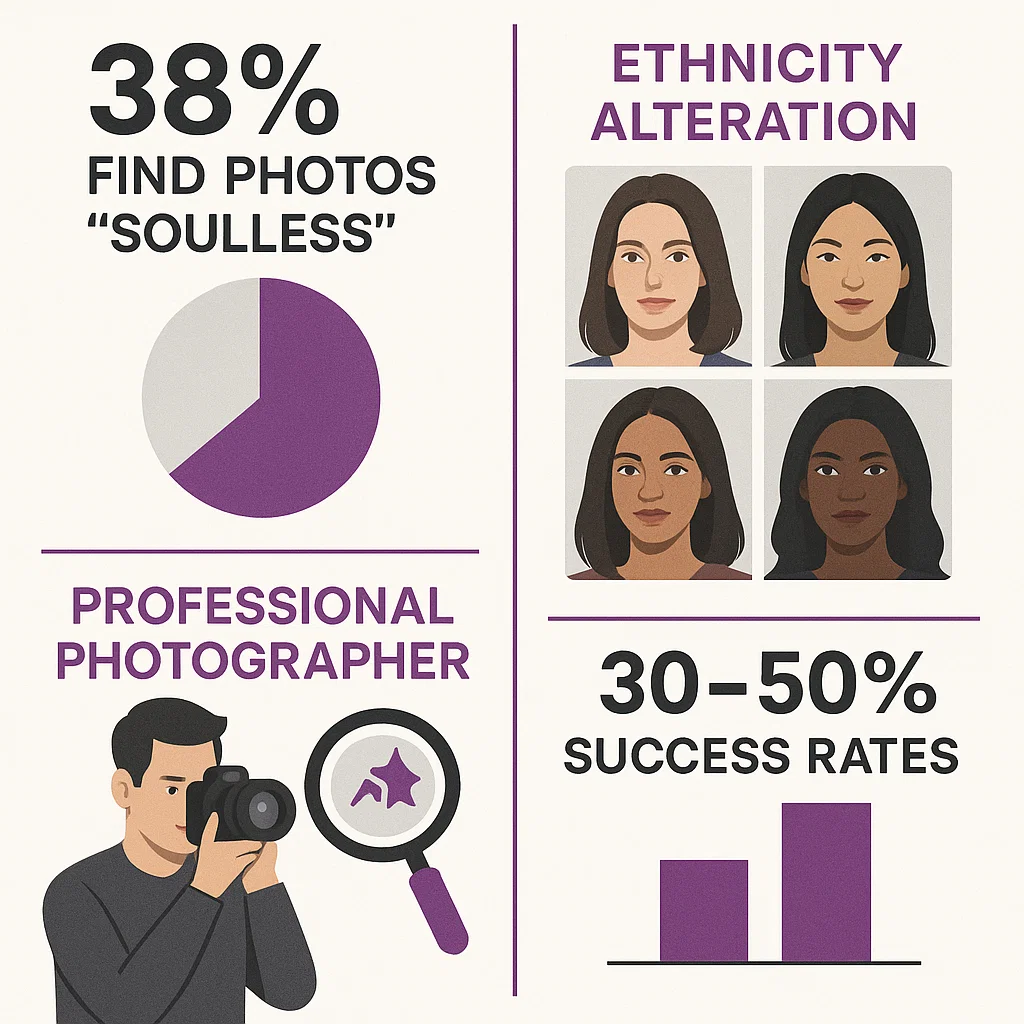
Recent research reveals just how widespread these issues are. The AI headshot market has exploded to $350+ million in 2025, but user satisfaction tells a different story.
The "Soulless" Problem: 38% of surveyed users describe AI-generated headshots as "visually appealing but emotionally empty." They look professional but lack personality — exactly the opposite of what you want in a Professional LinkedIn Headshot.
Ethnicity Alteration Issues: This is serious. Multiple users report AI systems changing their skin tone, eye color, or ethnic features. For professionals of color who need accurate representation in client-facing roles, this isn't just annoying — it's potentially career-damaging.
Professional Photographers Can Spot Them: Industry professionals readily identify AI-generated headshots through telltale signs: unnatural lighting patterns, synthetic skin texture, and subtle anatomical inconsistencies that general audiences miss. In industries where authenticity matters, this creates real credibility risks.
Low Success Rates: Even users who follow best practices — uploading 15-20 high-quality photos, using professional lighting, trying multiple services — only achieve 30-50% success rates for professionally usable images.
The result? Despite the cost savings (80-90% cheaper than traditional photography), professionals are frustrated with the authenticity gap.
How MyPicNow Solved the Consistency Problem
After seeing these issues everywhere, we built MyPicNow differently from the ground up:
1. Personal Model Training
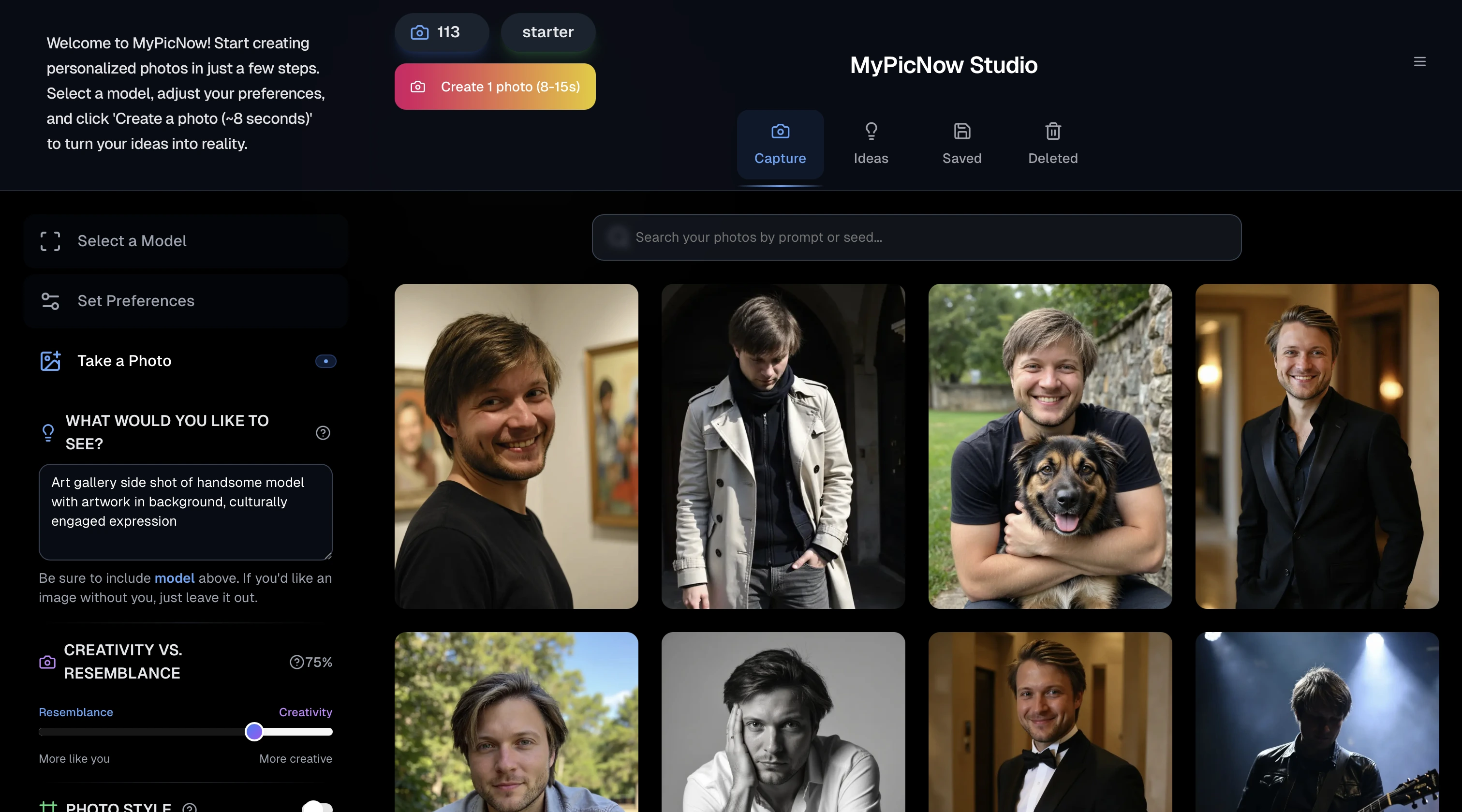
Instead of describing yourself to a generic AI, you upload 10-15 photos of yourself. Our AI studies your actual facial features, expressions, and natural variations. It's like giving the AI a complete photo album of you to learn from.
2. Consistency First
Every photo generated uses your personal trained model as the foundation. Whether you're creating a Professional LinkedIn Headshot, casual WhatsApp Profile Photo, or Model Headshots for your portfolio — they all look like the same person. Because they are.
3. 8-Second Generation
Once your model is trained (takes about 5-10 minutes), new photos are generated in 8 seconds. Want to try different backgrounds for your LinkedIn Profile Photo Generator? Different outfits? Different expressions? All consistent, all fast.
4. Multiple Use Cases
- Professional LinkedIn Headshot: Office backgrounds, business attire, confident expressions
- Best Photos for Tinder: Natural lighting, approachable expressions, varied settings
- WhatsApp Profile Photo: Casual but polished, optimized for small profile pictures
- Headshot Actor portfolio: Multiple expressions and looks for casting submissions
- Background Pics for LinkedIn: Match your headshot with complementary banner images
How MyPicNow Specifically Solved These Documented Problems
The research revealed the core issues, so we built our solution to address each one directly:
Solving the "Soulless" Problem
The issue: 38% of users found generic AI headshots emotionally empty
Our solution: Advanced training techniques that preserve micro-expressions and natural facial asymmetries that make you look human, not plastic
Preventing Ethnicity Alteration
The issue: AI systems changing skin tone, eye color, and ethnic features
Our solution: Identity-preservation algorithms that lock in your ethnic features during model training, ensuring your Professional LinkedIn Headshot actually looks like you
Beating Professional Detection
The issue: Photographers spotting AI artifacts like unnatural lighting and synthetic skin texture
Our solution: Better generation parameters that replicate natural photography lighting patterns and preserve authentic skin texture variations
Achieving Higher Success Rates
The issue: Only 30-50% of generated images being professionally usable
Our solution: Personal model training + quality filtering delivers 80-90% usable Professional LinkedIn Headshots from each generation batch
The difference isn't just technical — it's fundamental. While other tools try to improve generic results, we eliminate the guesswork entirely by learning your specific face.
The Smart Way to Use AI for Professional Photos
Here's how professionals are actually using AI headshot tools effectively:
1. Know Your Use Case
- Professional LinkedIn Headshot: Clean background, business attire, confident expression
- Best Photos for Tinder: Natural setting, genuine smile, eye contact with camera
- WhatsApp Profile Photo: Friendly but professional, good for small circular crops
- Model Headshots: Multiple expressions, clean backgrounds, high resolution
- Background Pics for LinkedIn: Complement your headshot without distracting
2. Start with Quality Input
The "garbage in, garbage out" rule applies. Upload:
- 10-15 clear photos
- Good lighting (natural window light works great)
- Different angles and expressions
- No filters or heavy editing
- Solo photos (no group shots)
3. Use the Right Tool for the Job
- Creative projects: ChatGPT, Midjourney
- Professional headshots: MyPicNow, specialized headshot tools
- Quick touch-ups: Traditional photo editing apps
- Team photos: Tools with batch processing capabilities
Cost Comparison: AI vs. Traditional Photography
Let's talk money. Here's what you're looking at:
| Option | Cost | Time | Consistency | Usability |
|---|---|---|---|---|
| Professional Photographer | $300-800 | Half day + editing wait | ✅ Excellent | Limited shots, expensive updates |
| ChatGPT/Midjourney | $20/month | Hours of prompting | ❌ Terrible | Creative projects only |
| Generic Photoshoot Apps | $35-75 | 2-4 hours processing | ⚡ Okay | Hit or miss quality |
| MyPicNow | $19+ | 8 seconds per photo | ✅ Excellent | Professional quality |
The math is pretty clear. For the cost of one professional photoshoot, you can generate hundreds of consistent, professional photos for every platform you use.
Why This Market Is Exploding (Despite the Problems)
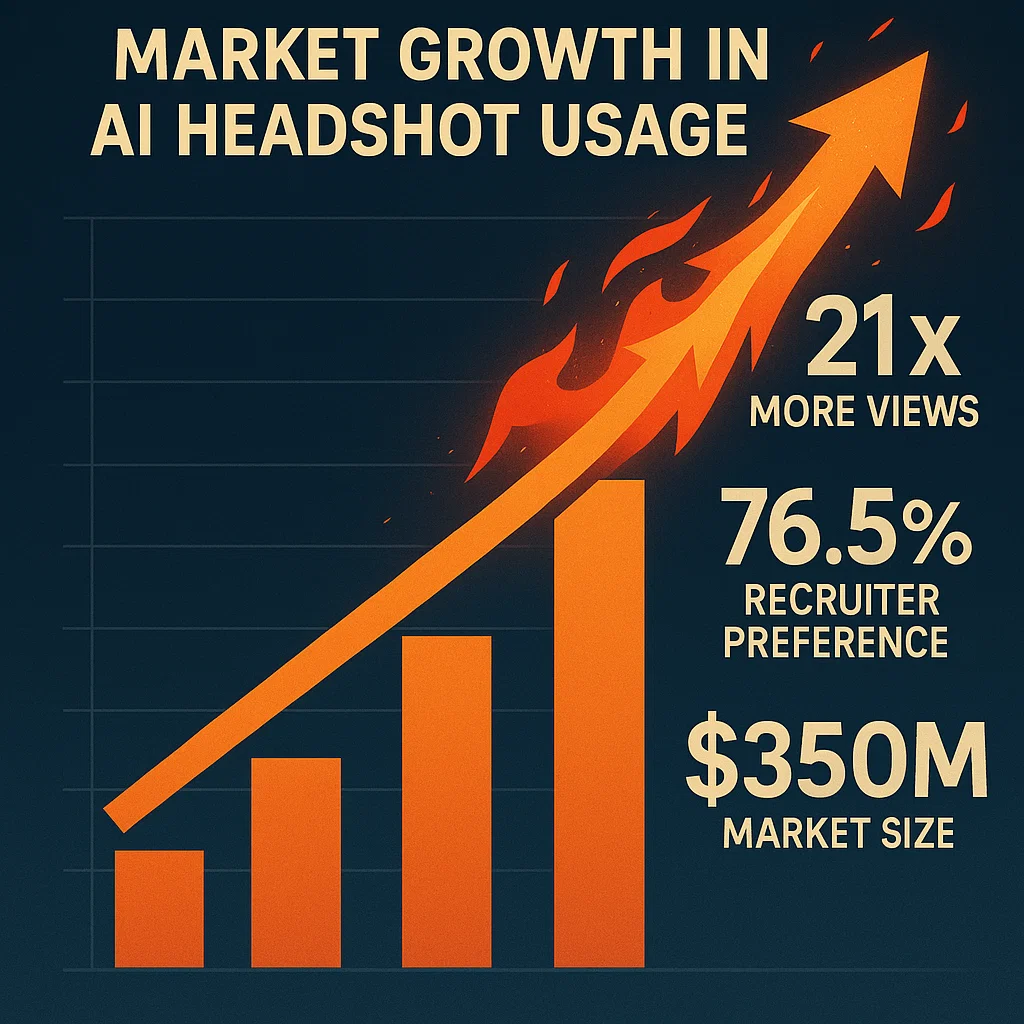
Here's what's driving the $350+ million AI headshot market growth in 2025:
The LinkedIn Effect: Profiles with professional headshots receive 21x more views and 36x more messages. That's not a small difference — that's career-changing visibility. Whether your Professional LinkedIn Headshot comes from a camera or AI matters less than having one.
Enterprise Adoption: Fortune 500 companies are increasingly using AI headshot services for team photos. The appeal? Centralized management, brand consistency, and massive cost savings when updating hundreds of employee headshots.
Remote Work Reality: Distributed teams need consistent professional imagery without access to corporate photographers. The old model of flying everyone to headquarters for headshots is dead.
Recruiter Acceptance: Here's the surprising part — in blind tests, 76.5% of recruiters actually preferred AI headshots over real ones. However, 90% believe they should be clearly labeled, and 88% want disclosure when candidates use AI. Translation: quality matters more than origin, but transparency builds trust.
The cost savings are undeniable: 80-90% cheaper than traditional photography. Professional headshots cost $250-500+ per session, while AI alternatives deliver 20-200+ images for $29-149.
But here's the key insight: this growth is happening despite the authenticity problems we discussed. Imagine the potential when those problems are actually solved.
Common Mistakes That Kill Your Results
Even with the right AI tools, people make the following mistakes that you should avoid:
1. Using Filtered Selfie Images
The mistake: Uploading Instagram-filtered photos to train your AI model
Why it fails: The AI learns fake skin textures and unrealistic features
Fix: Use natural, unfiltered photos only
2. Inconsistent Input Photos
The mistake: Mixing selfies from different years, lighting conditions, and angles
Why it fails: Confuses the AI about what you actually look like
Fix: Take a fresh set of 15 photos in one session with consistent lighting
3. Wrong Expectations
The mistake: Expecting ChatGPT-level creativity for professional headshots
Why it fails: Professional photos need consistency, not artistic interpretation
Fix: Use the right tool for the job — creative tools for creativity, professional tools for Professional LinkedIn Headshots
4. Ignoring Platform Requirements
The mistake: Using the same photo for LinkedIn and Tinder
Why it fails: Different platforms have different expectations and optimal crops
Fix: Generate platform-specific versions optimized for each use case
The Future of Professional Photography
Here's where this is all heading:
AI headshots are getting mainstream acceptance. LinkedIn reports that profiles with professional photos get 14x more views. Whether those photos come from a camera or AI matters less than having a polished, professional presence.
Quality is reaching parity with traditional photography. Tools like MyPicNow are producing results that even photographers have trouble distinguishing from camera-shot photos.
Speed and convenience win. Need new headshots for a job interview tomorrow? Update your LinkedIn after a haircut? Want consistent team photos for your startup? AI delivers in minutes, not weeks.
But authenticity still matters. The photos need to look like you. Generic AI tools fail this test. Specialized tools that train on your photos pass it.
The professionals who embrace this technology early — using it right — have a significant advantage over those still struggling with smartphone selfies or paying for expensive photoshoots every few months.
How to Get Started (The Smart Way)
Ready to upgrade your Professional LinkedIn Headshot game? Here's the step-by-step:
Step 1: Audit Your Current Photos
Look at your current LinkedIn Profile Photo, WhatsApp Profile Photo, and any other professional photos. Do they look like the same person? Are they recent? Professional quality?
Step 2: Take Quality Selfie Images
- Find good natural light (near a window)
- Take 10-15 photos with different expressions
- Include straight-on and slight angle shots
- Keep it natural — no filters or heavy editing
- Solo shots only
Step 3: Choose Your Tool Wisely
- For Professional LinkedIn Headshots: MyPicNow or specialized headshot tools
- For creative projects: ChatGPT, Midjourney
- For quick edits: Traditional photo apps
Step 4: Generate Platform-Specific Photos
- LinkedIn: Professional background, business attire
- Company website: Match your team's style
- WhatsApp: Friendly but professional
- Dating apps: Natural, approachable
- Industry-specific: Headshot Actor, Model Headshots, etc.
Step 5: Test and Iterate
Generate multiple versions and test them. Ask friends which AI Headshot they prefer. Use analytics to see which photos perform better.
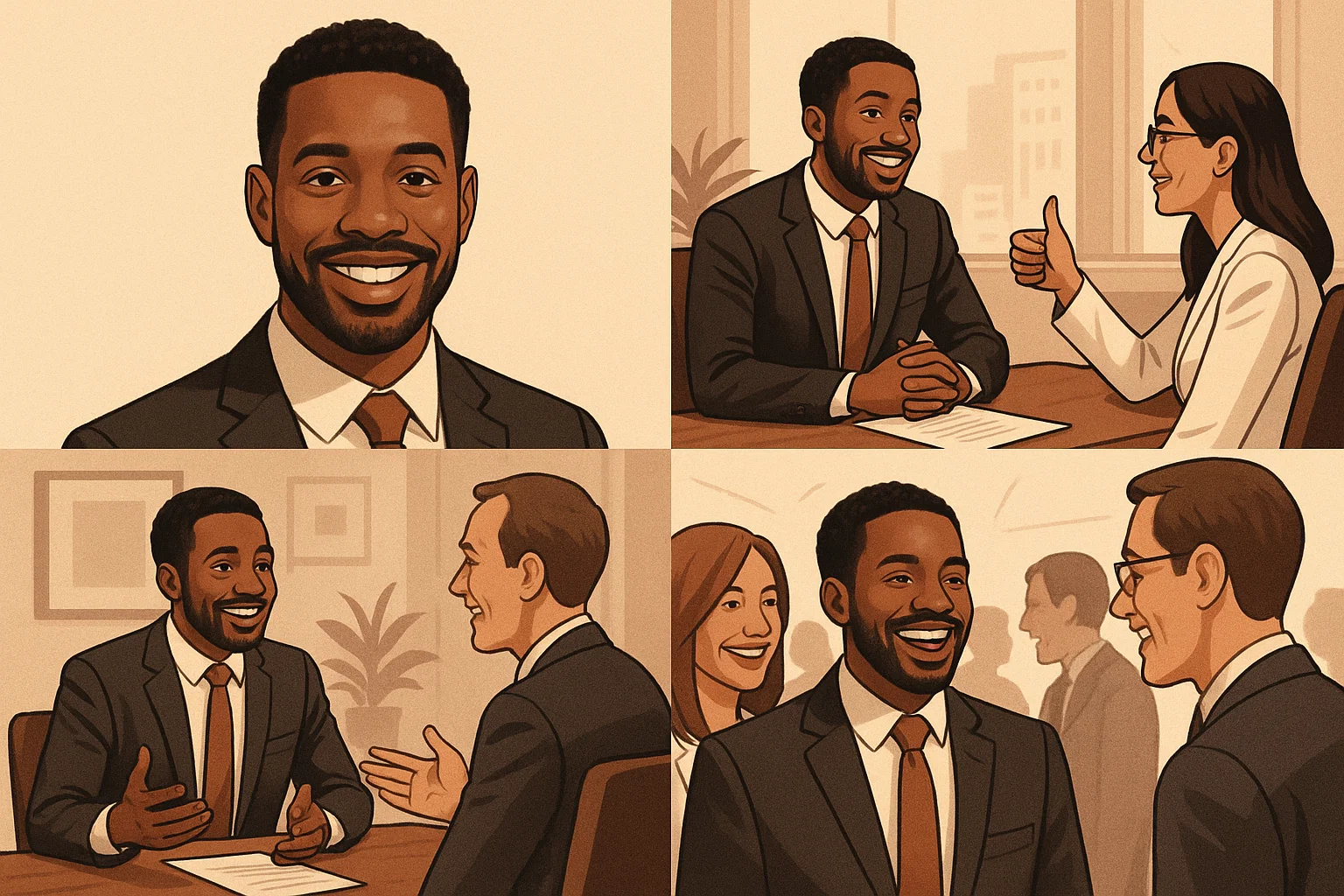
Why This Matters More Than Ever
The professional world has gone digital-first. Your online presence often determines whether you get job interviews, client meetings, or business opportunities.
Having inconsistent, low-quality, or outdated photos sends the wrong message. It suggests you're not detail-oriented, not current with technology, or not serious about your professional image.
But having sharp, consistent, professional photos across all platforms? That's a competitive advantage. People notice. Recruiters notice. Clients notice.
The good news is that technology has finally caught up to make this affordable and accessible. You don't need a professional photographer on speed dial. You just need the right tools and the knowledge to use them properly.
Tools like ChatGPT and Midjourney are amazing for what they're designed for. But when you need a Professional LinkedIn Headshot, WhatsApp Profile Photo, or any professional imagery that needs to look like you consistently — specialized tools like MyPicNow are the answer.
Ready to Upgrade Your Professional Image?
Stop settling for inconsistent AI-generated photos that look like your distant relatives. Stop paying photographer prices for simple headshot updates.
With MyPicNow, you can create Professional LinkedIn Headshots, optimized WhatsApp Profile Photos, and platform-specific imagery that actually looks like you — in seconds, not weeks.
Upload your Selfie Images, train your personal model, and start generating the professional photos you've been needing. Whether it's Background Pics for LinkedIn, Headshot Actor portfolio shots, or just a clean Professional LinkedIn Headshot — you're covered.
🚀 Create AI Headshots in 8 Seconds
FAQ
Q: Will MyPicNow photos look better than ChatGPT or Midjourney?
For Professional LinkedIn Headshots and consistent professional photos? Absolutely. ChatGPT and Midjourney excel at creative projects but fail at consistency. MyPicNow trains specifically on your photos, so every generation looks like you.
Q: How is this different from other Photoshoot Apps?
Most Photoshoot Apps apply filters to your existing photos or use generic models. We train a custom AI model on your Selfie Images, creating genuinely new photos that maintain your facial consistency across different backgrounds, outfits, and expressions.
Q: Can I use these for LinkedIn Profile Photo Generator needs?
Yes! That's exactly what MyPicNow excels at. Generate Professional LinkedIn Headshots, matching Background Pics for LinkedIn, and consistent photos for your entire professional presence.
Q: What about Best Photos for Tinder or WhatsApp Profile Photo?
Absolutely. The same trained model works for any platform — just adjust the style and background. You get consistency across all your profiles while optimizing for each platform's specific requirements.
Q: How many Selfie Images do I need to upload?
10-15 high-quality photos give the best results. More variety in angles and expressions helps, but quality matters more than quantity.
Q: Is this better than hiring a photographer for Headshot Actor or Model Headshots?
For portfolio building and regular updates, yes. For high-end fashion campaigns or major casting calls, photographers still have advantages. But for 90% of professional needs — including Headshot Actor portfolios — AI delivers comparable quality at a fraction of the cost.