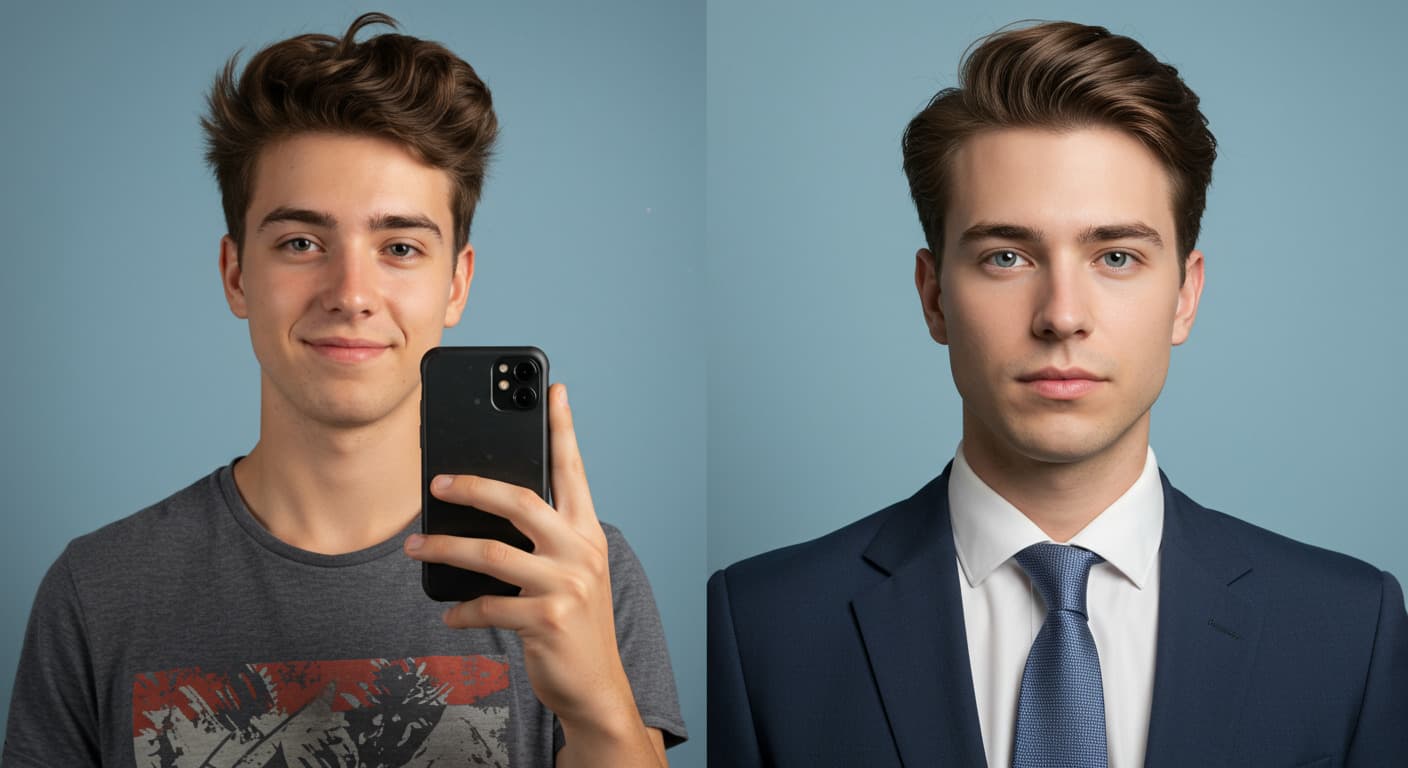
How to Create a Professional LinkedIn Headshot That Gets You Noticed
Looking sharp on LinkedIn isn't just about your job title or your resume. The first thing people see is your photo. A clean, confident headshot can help you make a strong first impression. But not everyone has the time, money, or patience to book a photoshoot. That's why more people are turning to AI to create a Professional LinkedIn Headshot quickly and affordably.
In this post, we'll go over why your LinkedIn photo matters, the usual problems people face, and how AI can give you a great-looking headshot in minutes — without leaving your house.

Photo by Alexander Shatov on Unsplash
Main takeaways from this article
- Your Professional LinkedIn Headshot matters — a lot.... It's the first thing recruiters and others see when they visit your profile, especially if they don't know you yet.
- But let's be honest: finding the right photo is tough. Party pics, beach shots, group photos — they just don't fit. And even after scrolling through your phone for 20 minutes, you realize... you don't have a single photo that works.
- That's where AI steps in. It's making the process of creating a Professional LinkedIn Headshot way easier. New tools are popping up that can create a clean, professional headshot in seconds — no photoshoot needed.
MyPicNow lets you build your own AI model using your photos. It's fast, easy, and gives you a polished LinkedIn headshot that actually looks like you — only better.
Why a Good Professional LinkedIn Headshot Matters
- It's your digital first impression: Recruiters, clients, and coworkers see your photo before they read anything else.
- It shows who you are: A good photo makes you look reliable, confident, and ready to work.
- You stand out from the crowd: Many people still use blurry selfies, travel pictures, or no photo at all.

Photo by Nathana Rebouças on Unsplash
Common Problems with Getting a Professional Headshot
A lot of people skip getting a proper photo because:
- Photographers are expensive: Even finding local photographers can cost hundreds of dollars per session.
- It takes time: Booking, preparing, shooting, waiting for edits — it adds up.
- It's uncomfortable: Some people just hate being in front of a camera.
- They don't have the right setup: No good lighting, clothing, background, or even a decent camera.
How AI Tools Can Help
Here's how AI and MyPicNow.com solve these problems:
1. No need for a photoshoot
Just upload a few photos of yourself and create your own AI model to generate your Professional LinkedIn Headshots— no studio, no lights, no camera needed, just straight to ACTION!
2. Get a polished, professional look
Because you create your own trained AI model the outcome is YOU, not a stranger pretending to look like you.
3. Customize your appearance
Edit the features to achieve the desired outcome. You can play with the photo style, emotions, camera view, and more. You can even place yourself in an office-style background.
4. It's affordable
It'll feel practically free compared to the cost of a real photoshoot — and you'll save yourself the headache of taking 1,000 selfies at home just to get one decent shot.
5. Quick results
Instead of taking hours to prepare for the perfect photo and waiting days for the results, you can get your headshots in 8 seconds.
6. Try different styles
Want to look more corporate? More casual? You can test out multiple looks without extra cost. No need to buy new clothing, the world is your oyster! Better than shopping at Zara and dealing with awkward changing room mirrors.
Tips to Get the Best AI Headshot
- Sign up for MyPicNow.com today — It's quick and easy, and no need to change out of your pajamas (yet).
- Upload 10 high-quality photos of yourself — No filters, no sunglasses, no group photos (the AI wants to see you, not your dog or your vacation). Avoid dark or shadowy images. Leave the photos taken in a nightclub for Tinder ;)
- Create your own AI model — After uploading your photos your AI model is one click away. It's like building a mini version of you... but with better lighting.
- Dress how you'd dress for work — The AI will handle the outfit and I promise you will have more fun than going shopping.
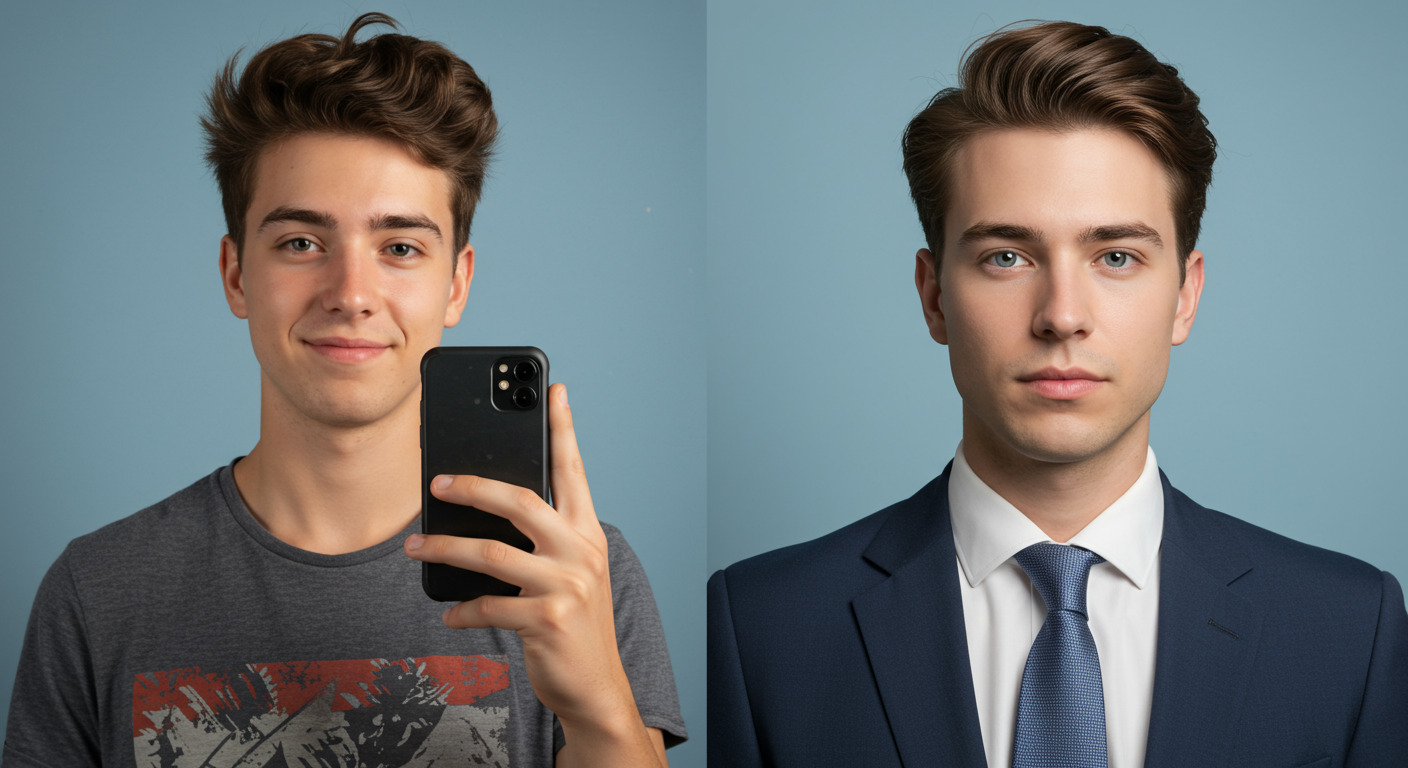
Final Thoughts
Getting a LinkedIn headshot doesn't have to be a hassle. With MyPicNow, you can look professional without spending a ton of money or time. Whether you're job hunting, networking, or building your brand, having a sharp Professional LinkedIn Headshot is a must. Try MyPicNow today.
FAQ
Q: Are AI headshots really good enough for LinkedIn?
Yes — as long as you use a high-quality tool like MyPicNow and upload good photos to create the AI model, the result can look just as sharp as a studio shot.
Q: Is it safe to upload my photos to an AI tool?
Always check if the tool is secure and explain how it handles your data. Stick with trusted names. MyPicNow follows strict data protection rules in line with EU law (GDPR), so your photos are safe and your privacy is respected.
Q: What kind of photos should I upload?
Clear selfies with good lighting. Avoid sunglasses, hats, filters, or group shots.
Q: Can I choose how I want to look in the photo?
Yes, you can edit the prompt and create up to 50 photos with the more basic plan. MyPicNow also lets you pick from different styles, backgrounds, and clothing types.
Q: How long does it take to get the results?
Usually anywhere from a few minutes to an hour, depending on the tool. With MyPicNow it only takes 8 seconds.