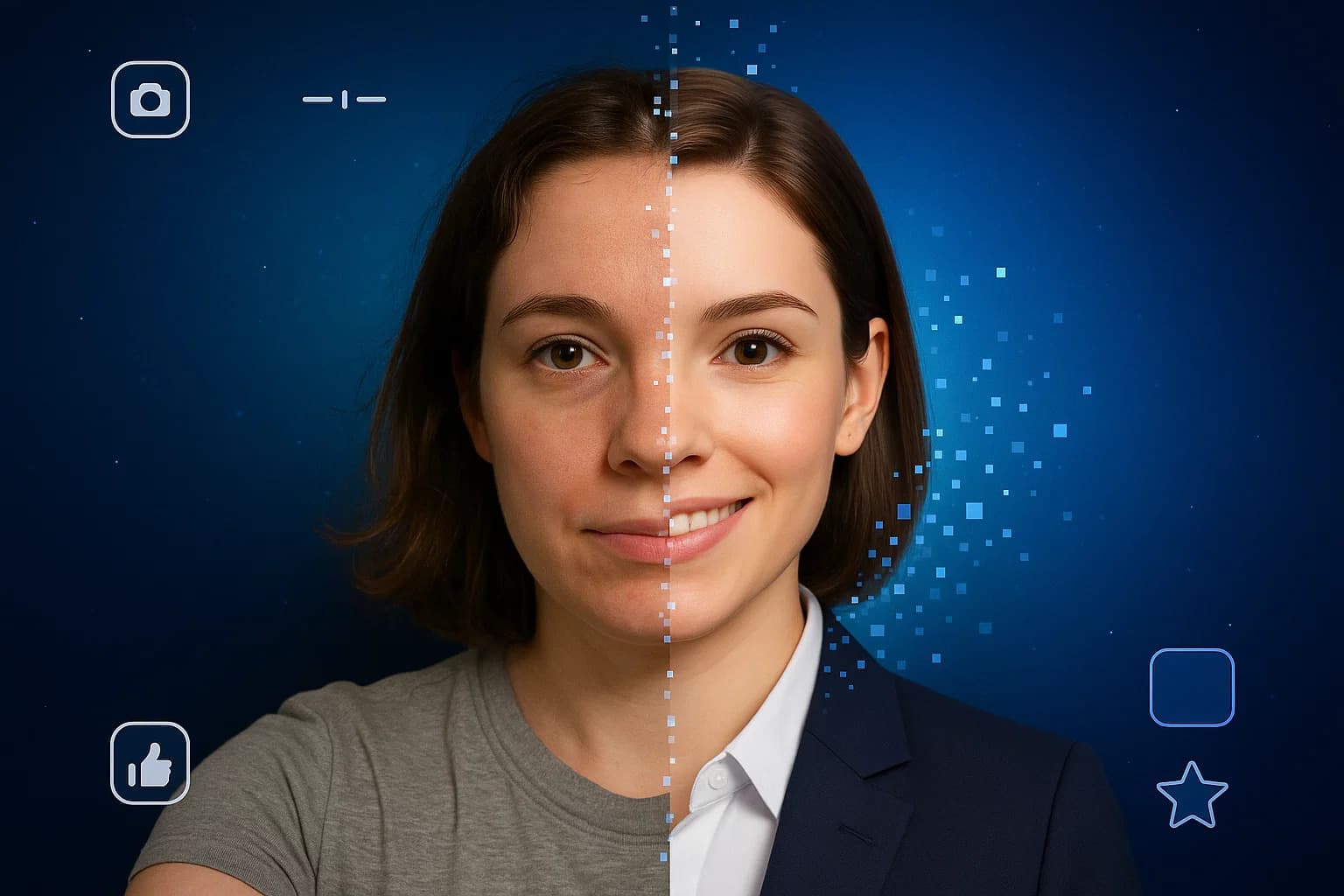
5 Tips for Capturing the Perfect Professional LinkedIn Headshot with MyPicNow
Your profile photo isn't just a picture - it's your digital handshake, your personal brand's first impressions, and a crucial element that can significantly impact how you're perceived by recruiters, colleagues, and potential connections.
But let's face it, getting that perfect professional headshot from a photographer usually feels more awkward than a bad first date and costs almost as much.
MyPicNow acts like your photoshoot app and is designed to take the pain out of the process, transforming your selfie images with AI into professional headshots quickly and affordably.
Inspired by insights from our recent posts, How to Create a Professional LinkedIn Headshot That Gets You Noticed and 10 Best AI Headshot Generators in 2025, we've put together five essential tips to create a LinkedIn headshot that will impress recruiters without emptying your wallet (or your patience).
Here are five tips to get the most out of MyPicNow for your LinkedIn headshot:
Tip 1: Understand the 'Why'
Take a moment to think about the professional image you want to project on LinkedIn. Your headshot should align with your industry, role, and personal brand goals. Are you aiming for corporate, creative, or something else?
Your photo should reflect the role you want, not just the role you have. Understanding your goal will help you choose the right input photos and guide your style selection.
MyPicNow offers a variety of styles and allows you to guide the AI with prompts. Knowing your goal upfront ensures you generate headshots that are not only high-quality but also strategically aligned with your professional brand.
Tip 2: Choose Your Input Photos Wisely
The quality of your AI-generated headshot starts with the photos you provide for training the AI model. MyPicNow works by learning your unique features from the photos you upload. This is what allows the AI to create realistic images that actually look like you, avoiding that "uncanny valley" effect you might see with other generic AI tools.
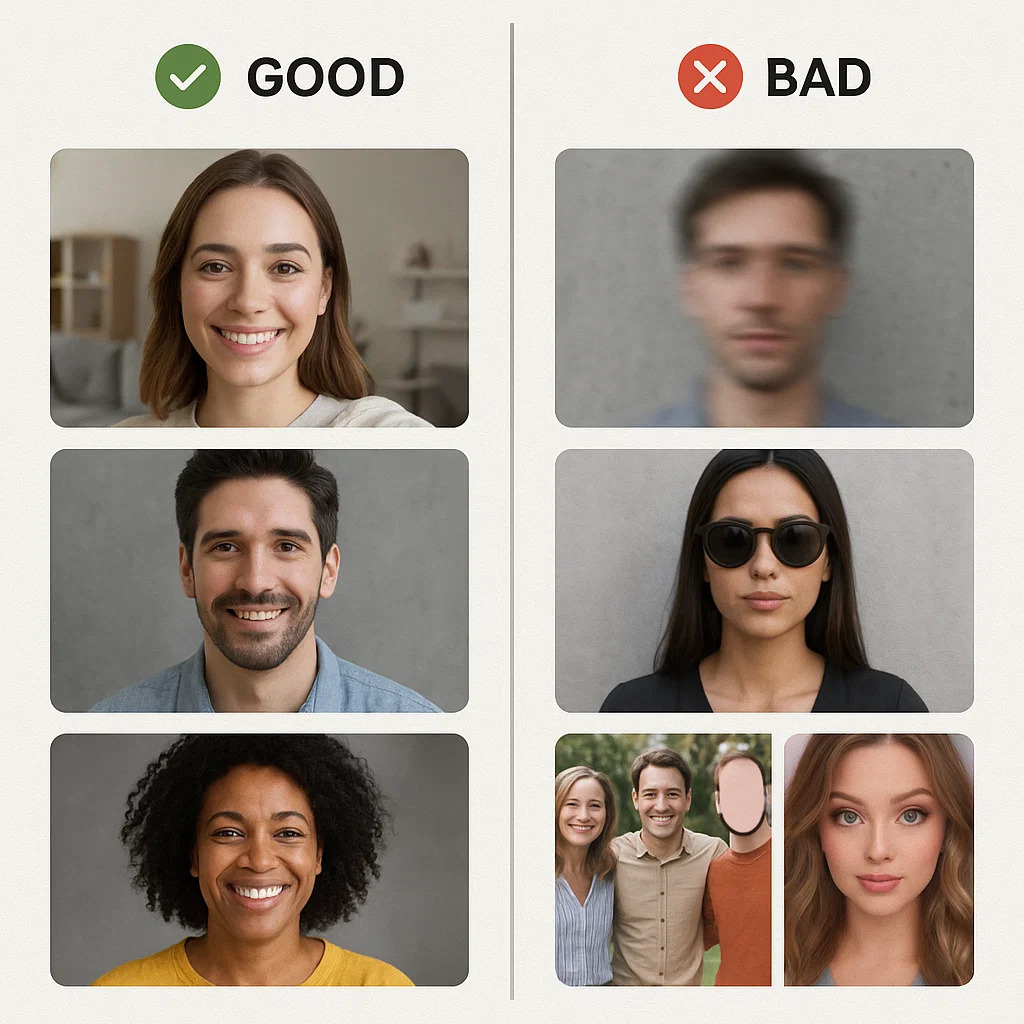
To get the best possible results for your professional linkedin headshot, follow these four points when selecting your input photos:
- Variety is Key: Upload photos with different expressions (smiling, neutral), angles (straight on, slightly to the side), and lighting conditions (natural light is great). This helps the AI understand your face from multiple perspectives.
- Quality Matters: Use clear, well-lit photos. Avoid blurry, pixelated, or heavily filtered images. The AI can enhance your photos, but it can't work miracles with very low-quality inputs.
- Focus on Your Face: While full-body shots can be included, make sure you have several photos where your face is clearly visible and takes up a good portion of the frame.
- Avoid Distractions: Try to avoid photos with sunglasses, hats that obscure your face, or busy backgrounds. Group photos where you are cropped out are also not ideal. The goal is to give the AI a clear picture of you.
Remember, the AI is learning your look. The better the "training data" you provide, the more accurate and realistic your generated headshots will be.
Tip 3: Leverage MyPicNow's Style and Background Options
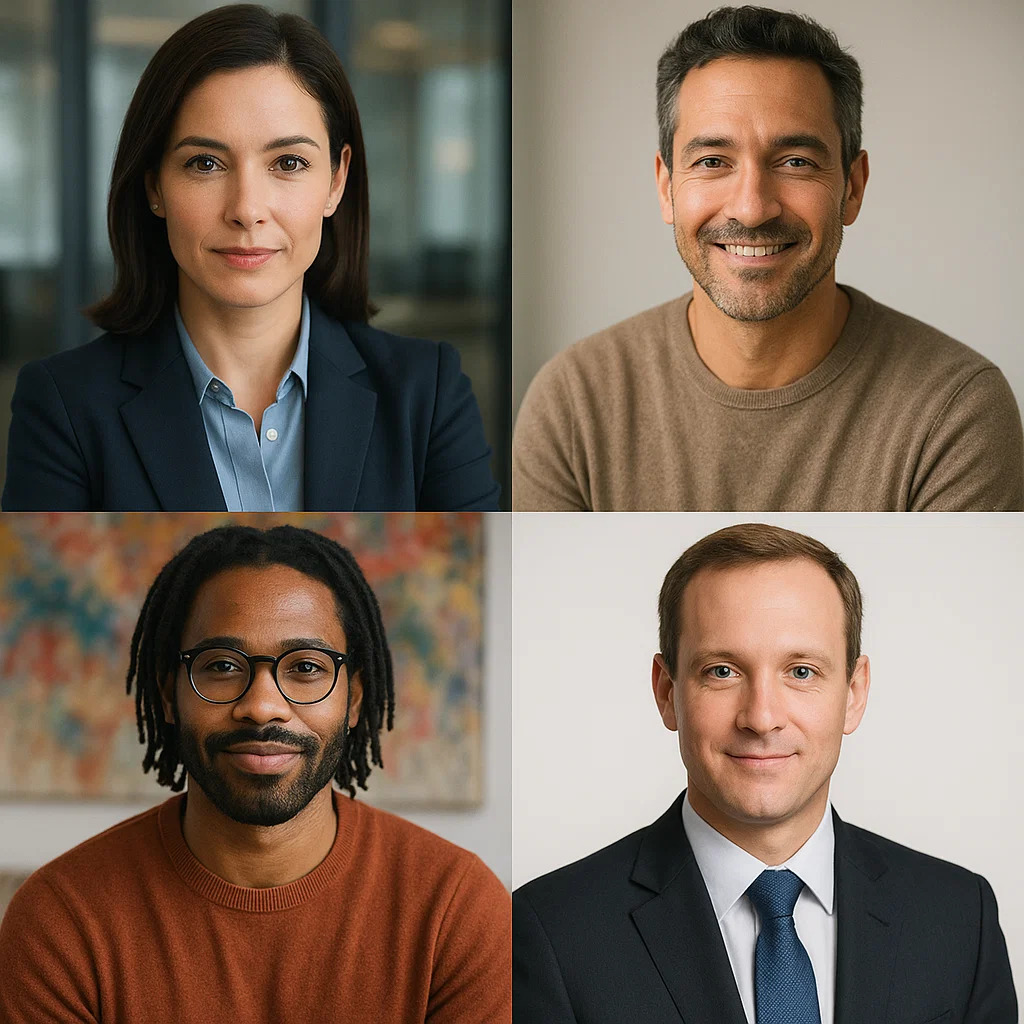
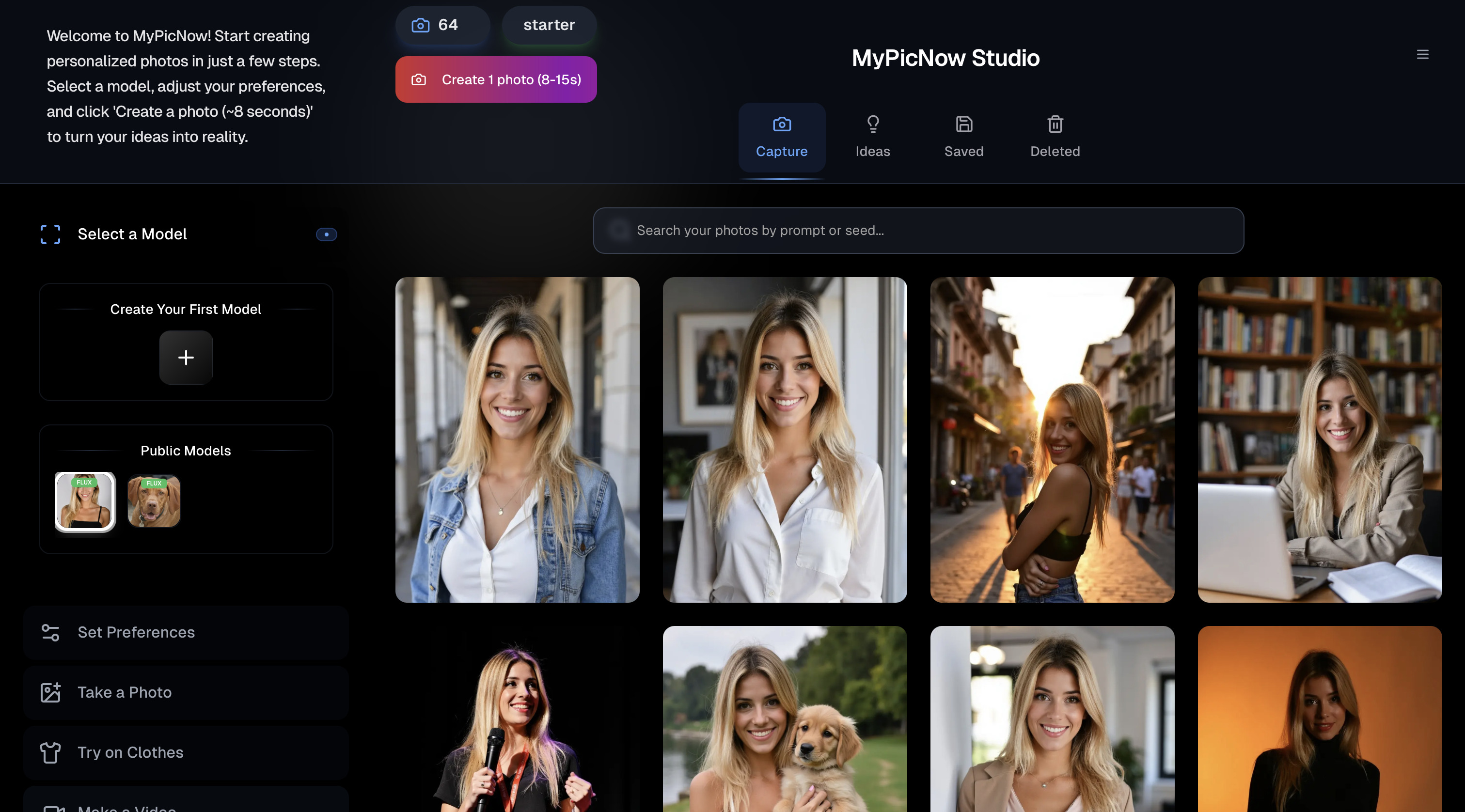
Once your AI model is trained (which only takes a few minutes after uploading your photos), the fun begins! MyPicNow offers a range of styles and options to help you create the perfect headshot images and background pics for linkedin that aligns with the message you want to convey.
- Explore Different Professional Settings: You can choose styles that place you in various professional environments – from a clean, minimalist studio to a modern corporate office or a slightly blurred, dynamic workspace. This is a great way to find a background that complements your industry and desired professional persona.
- Experiment with Clothing and Look: While your input photos provide the base, MyPicNow allows you to experiment with different virtual outfits and overall looks. Want to see how you'd look in a sharp blazer, a business casual shirt, or a specific color? You can generate variations to find what feels most authentic and professional to you.
- Simple and Clean Backgrounds: For LinkedIn, simpler is often better. Solid colors (greys, blues) or subtly blurred professional environments tend to work best as background pics for LinkedIn.
- Use Prompts for Specifics: If you have a particular look or setting in mind, use the prompt feature to guide the AI. For example, you could prompt for "professional headshot, grey background, studio lighting, navy suit" to get a very specific result.
Tip 4: Refine Your Expression
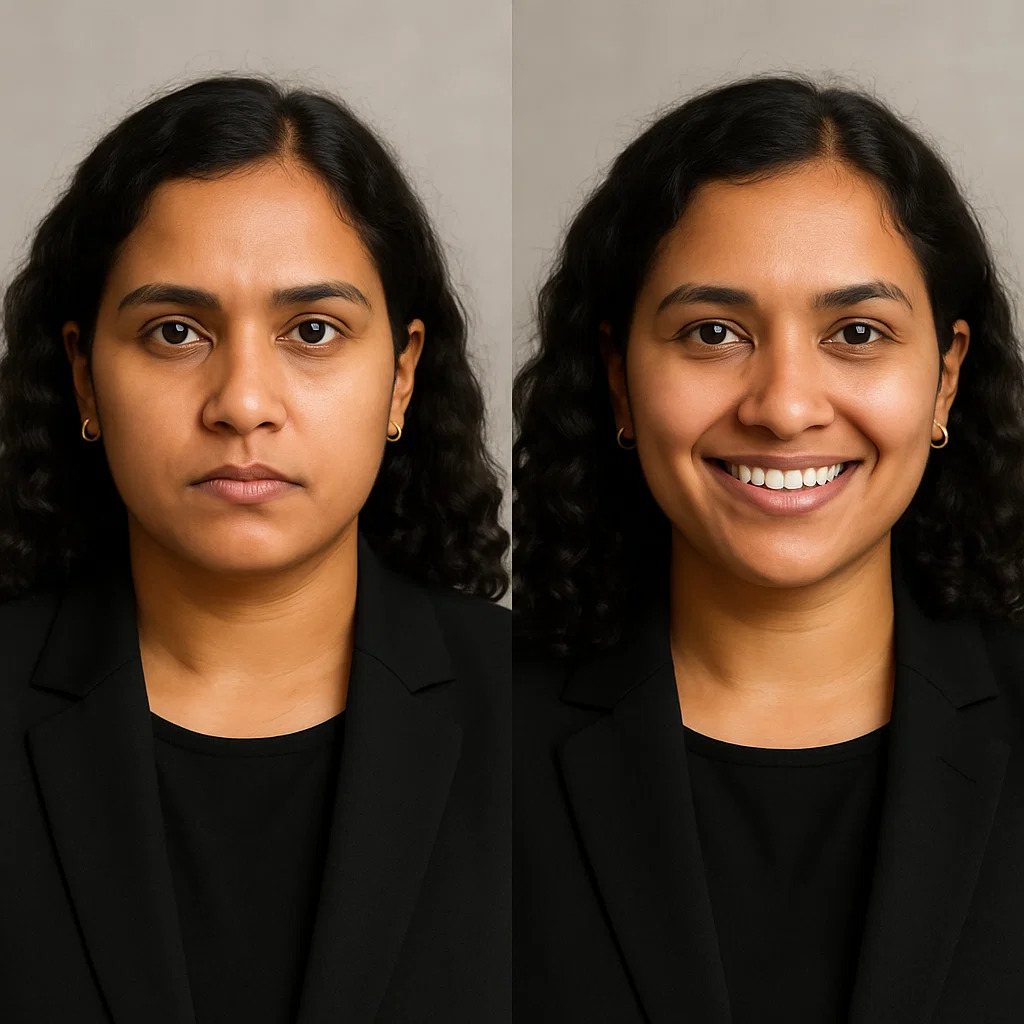
Even with AI, your expression plays a significant role in how you are perceived. MyPicNow helps by generating variations, allowing you to pick the ones where you look most confident and approachable.
- The Power of a Smile: A genuine, relaxed smile can make you appear more likable and trustworthy. MyPicNow can help generate photos where your smile looks natural, not forced.
- Direct Eye Contact: Looking directly at the camera creates a sense of connection and confidence. Ensure the AI-generated photo you choose features clear, direct eye contact.
- Subtle Pose: A slight turn of the shoulders can add a touch of dynamism compared to a strictly straight-on shot.
With MyPicNow, you can take the time to experiment with various prompts to get your desired results.
Tip 5: Final Touches and Usage
Once you've selected your perfect professional linkedin headshot from the options MyPicNow provides, you're ready to upload it to your profile.
While your LinkedIn photo should be professional, MyPicNow can also help you generate photos for other platforms like your personal website, online portfolios, or even a polished whatsapp profile photo.
Your LinkedIn headshot should be a current representation of you. Aim to update it every couple of years, or whenever there's a significant change in your appearance. MyPicNow makes this easy and affordable compared to scheduling a new photoshoot.
Remember that MyPicNow is a versatile profile photo maker. You can use it to generate AI business photos for company directories, speaker profiles, or even a professional-looking whatsapp profile photo.
Getting a standout professional LinkedIn headshot doesn't require expensive equipment, awkward posing, or endless hours of trying to get the lighting just right. MyPicNow simplifies the entire process, allowing you to generate high-quality, realistic AI business photos that truly represent you. It's the modern solution for anyone who wants to make a great professional first impression online.
👉 Generate your LinkedIn‑ready headshot in 8 seconds
FAQ
Q: Are AI-generated headshots acceptable for a professional platform like LinkedIn?
A: Yes, absolutely. With the advancements in AI technology, tools like MyPicNow can generate photorealistic headshots that are often indistinguishable from photos taken by a human photographer. As long as the photo is a realistic and professional representation of you, it is perfectly suitable for LinkedIn and other professional uses like corporate profiles and executive bios.
Q: How is MyPicNow different from other profile photo makers?
A: Many generic AI photo tools use pre-trained models that can result in unnatural or "fake-looking" photos. MyPicNow specializes in creating highly realistic headshots by training a custom AI model on your own photos. This ensures the generated images look authentically you, just with professional lighting and styling.
Q: What kind of input photos should I upload for the best results?
A: For optimal results, upload 10-15 clear, well-lit selfies or photos showing your face from different angles and with varying expressions. Avoid photos with sunglasses, hats, heavy filters, or those where your face is obscured or too small in the frame.
Q: Can I control the background and style of the generated photos?
A: Yes, MyPicNow offers a variety of styles and backgrounds, allowing you to customize the look of your headshot to fit your professional needs. You can choose from different professional settings, attire options, and even use prompts to guide the AI for specific results.
Q: How long does it take to get my professional headshot using MyPicNow?
A: Once you upload your photos and train your personal AI model (which takes less than an hour), generating new photos in various styles and backgrounds takes only about 8 seconds per image. It's significantly faster than traditional methods.
Q: Is it safe to upload my photos to MyPicNow?
A: MyPicNow adheres to strict data protection regulations, including GDPR, to ensure your photos and personal data are handled securely and your privacy is respected.